
Compare outcomes, not acronyms
Introduction
A four-letter emitter label is a useful starting point, but it is not a complete description of color performance.
Professional wash fixtures are purchased for visible outcomes: a believable warm interior, a clean pastel costume wash, a saturated concert look, a repeatable televised service or a color effect that matches across a rental fleet. RGBW and RGBL can both contribute to those outcomes. Their fourth emitters differ, but the audience sees the result of the entire system: emitter spectra, optical mixing, calibration, dimming, fixture software, profile data, scenic materials, camera settings and programmer choices.
This guide treats RGBW and RGBL as engineering options rather than a winner-and-loser contest. It extends the broader LED wash moving head specification guide with a color-specific check method. The objective is to help project teams specify tests, compare samples and request the documents needed before a theatre, church, broadcast or touring purchase.
Start with architecture, then measure performance
RGBL vs RGBW vs RGBWA: Quick Comparison
The letters identify physical color channels. They do not rank fixtures or replace model-specific measurements.
| Engine | Channels | Design characteristic | check on the fixture |
|---|---|---|---|
| RGBW | R / G / B / White | Dedicated white emitter | White CCT, Duv, color rendition, output and mixing |
| RGBL | R / G / B / Lime | Lime in the green-yellow region | Spectrum, white behavior, color rendition and profile mapping |
| RGBWA | R / G / B / White / Amber | Separate white and amber emitters | White and amber behavior, color rendition, output and control |
Hardware vocabulary
What Do RGBW, RGBL and RGBWA Mean?
All three systems begin with red, green and blue additive emitters; the additional channels change the tools available to the fixture designer and programmer.
- RGBW
- A red, green, blue and white emitter system. The dedicated white channel can be used alone or blended with RGB, depending on the fixture's optical and control design. The label does not define the white emitter's spectrum, color temperature, color rendering or calibration.
- RGBL
- A red, green, blue and lime emitter system. Lime adds energy in a region selected to complement the RGB emitters. The label does not prove a particular white point, color-rendering value, camera result or spectral match between brands.
- RGBWA
- A red, green, blue, white and amber emitter system. Amber gives the engine an additional warm-spectrum channel for building amber, orange, warm pastel and mixed-white cues. It does not by itself prove accurate white, preferred skin-tone rendering, high CRI, high TLCI or a particular TM-30 result.
ETC's stage-lighting color article describes lime in its own color-mixing system as filling spectral gaps between red and green and working with RGB to create subtle tints and full white. That is useful design context, not a transferable performance guarantee for every RGBL luminaire. Each fixture still needs its own measurements and visual test.
From channel values to visible light
How RGBW and RGBL Color Mixing Works
Additive mixing combines emitted light; changing the relative output of the channels changes the resulting spectrum and perceived color.
Red, green and blue provide three primary controls. A fourth emitter gives the fixture another spectral contribution, but it also gives the manufacturer and console more decisions to manage. A white or lime channel may be exposed directly, calculated by a color engine, or combined with RGB through calibrated data. The same nominal color target can therefore produce different channel values on different fixtures.
Optical mixing determines whether those emissions appear as one field. At short throw or on reflective scenery, a viewer may detect color separation, lens images or uneven edges that are less visible at another distance. Zoom position can also change the apparent field. Compare the fixture at the intended throw, focus and viewing angle rather than judging only a wall test made at an unknown setup.
The ETC Stage Lighting Guide emphasizes that color is part of an overall design process involving source, surface and perception. For procurement, translate that principle into a target list: actual costumes, scenic paint, skin tones, projection surfaces and cameras. A successful lab swatch is not automatically a successful stage look.
Four stages of the color path
- 011. Command
A desk, media server or network source sends channel data or a color target through the selected fixture profile.
- 022. Fixture processing
The profile and fixture software map that request to physical emitter channels, dimming curves and any internal calibration.
- 033. Optical output
Emitters, lenses, zoom and diffusion combine the light into a field with a particular spectrum and spatial uniformity.
- 044. Reception
Scenery, costumes, eyes and cameras respond differently. The accepted result must therefore be judged in the application.
Evaluate the complete implementation
RGBL vs RGBW: What's the Practical Difference?
The table below frames questions for a sample test; it does not declare one architecture superior.
| Decision area | RGBW evaluation | RGBL evaluation | project files |
|---|---|---|---|
| Fourth emitter | Dedicated white channel | Dedicated lime channel | Exact emitter description and current channel chart |
| White output | May use the white emitter alone or blended with RGB | May synthesize white from RGB plus lime | Measured sample at project white targets; do not infer CCT or rendering |
| Pastels and tints | Check how the white channel changes hue and saturation | Check how lime influences green-yellow regions and subtle tints | Side-by-side cue list on relevant materials |
| Saturated colors | Confirm whether adding white is disabled or intentionally used | Confirm how lime is used in saturated and transition cues | Spectral or visual comparison with all channels documented |
| Console control | Profile may expose direct RGBW or calibrated color control | Profile may expose direct RGBL or calibrated color control | Current profile, channel map, firmware and desk version |
| Camera use | Test flicker, hue, white balance and exposure in the actual chain | Run the same test; the lime label alone predicts none of these outcomes | Recorded camera test at required frame rates and shutter settings |
| Fleet matching | Compare multiple production units and profile revisions | Apply the same unit-to-unit check | Acceptance tolerance, serial records and repeatable test scene |
The additional channel is amber
RGBW vs RGBWA
RGBWA retains a dedicated white channel and adds amber as a fifth independently controllable component.
Compared with RGBW, RGBWA adds warm-spectrum control for amber, orange, warm pastel and mixed-white cues. Results still depend on emitter spectra, optics, calibration and software. Confirm direct or calibrated control, channel count and output at the target colors.
Two different multi-primary approaches
RGBL vs RGBWA
RGBL adds lime to RGB; RGBWA combines RGB with separate white and amber channels.
RGBL may use lime within its white and tint strategy; RGBWA controls white and amber separately. Neither label defines spectrum, gamut, white-point path or calibration. Compare the required palette, measured white behavior, color rendition, output and console workflow; request TM-30 or spectral data where fidelity matters.
Measure the fixture, not the acronym
Color Engine Is Not the Same as Color Quality
RGBW, RGBL and RGBWA describe channel architecture; they do not state the measured performance of the complete luminaire.
Fixtures with the same channel label can use different emitters, phosphors, white CCTs, optics and calibration, producing different whites, output and camera results. CCT is incomplete without chromaticity or Duv because nominally equal CCTs can differ in green-pink tint.
For theatre, broadcast or accurate white, request measurements at the production setting. Illuminating Engineering Society's TM-30 method reports overall and hue-specific color rendition; U.S. Department of Energy's color and spectrum guidance explains why CCT should be considered with Duv. No metric should be inferred from emitter letters.
- Request spectral data when detailed color evaluation is required.
- Record CCT and Duv for required white settings.
- Request TM-30 where fidelity and hue shifts matter.
- Test the real camera chain and multiple production units.
Build a project palette
White, Pastel and Saturated Color Decisions
A useful comparison starts with named visual targets and repeatable cue values, not an unrestricted tour of a color picker.
White and near-white targets
List the whites the project actually needs: neutral work light, warm interior, cool backlight or a camera reference. Do not assume that a dedicated white emitter guarantees a preferred white, or that RGBL guarantees a particular full-spectrum result. Ask for measured information when available, but check visually on skin, textiles and scenic surfaces. Record whether the console generated the color through calibration or the programmer set direct channel values.
Pastels and subtle tints
Pastels expose transitions that a saturated demo can hide. Prepare gentle pink, lavender, straw, cyan and green-tinted whites relevant to the show. Watch for unexpected hue shifts as intensity changes and for disagreement between fixtures. In an RGBW system, observe how the white channel changes saturation. In an RGBL system, observe how the color engine or direct lime value changes the green-yellow region.
Saturated colors and crossfades
Compare saturated red, green, blue and mixed colors at equal framing and exposure. Then test crossfades between them, including low-intensity transitions. A strong static color does not prove that the path between colors is smooth. Look for stepping, temporary desaturation, field separation and fixture-to-fixture timing differences. Save the accepted cues so delivery inspection can repeat them.
Test the complete image chain
Camera and Dimming Considerations
No emitter acronym proves camera compatibility or smooth dimming; those outcomes depend on implementation and operating settings.
For broadcast, streaming or image-mag use, test the actual camera bodies, frame rates, shutter settings, lenses, exposure, picture profiles and white-balance workflow. Record the fixture personality, firmware, intensity, zoom and color values. A phone clip is not an adequate substitute because automatic exposure, white balance and frame timing can hide or create artifacts.
Run a low-level ramp from black, hold several low intensities, and capture slow color changes. check the recording for flicker, banding, stepping, hue shifts and abrupt channel turn-on. Repeat at the production's critical frame-rate and shutter combinations. If the supplier provides PWM or refresh information, tie it to the exact mode and firmware; if no published value is available, leave it unclaimed and rely on the controlled test.
- Lock camera exposure and white balance before comparing fixtures.
- Match zoom, distance, framing and target illuminance as closely as the test allows.
- Record direct channel values as well as color-picker targets.
- Test black-level behavior, slow fades, static holds and rapid effects separately.
- Retain a short reference recording and the complete settings sheet with the sample approval.
Control data can change the comparison
Console Profiles and Calibration
The desk can display one target while sending different physical channel values to different luminaires.
ETC's official console support note on LED fixture color values explains that calibrated fixture data can allow a color picker to calculate channel combinations, while fixtures without such data may behave differently. For a professional evaluation, that means profile quality and calibration data are part of the product experience, not administrative details added after the hardware decision.
Confirm the exact personality used for the sample. Import the supplied profile into the intended console version, compare its channel names and ranges with the current manual, and test home values, intensity, color, zoom, reset and any cell functions. If a desk library profile differs from the Technical File, record which one was approved. Store profile, firmware and show-file versions together.
Direct-emitter control is valuable for diagnosis. It reveals whether an unexpected result comes from the color engine, profile mapping or optical output. After that check, repeat the creative test through the color tools the programmer will actually use. A direct RGB value and a calibrated color target are not interchangeable records.
Current RGBW and RGBL examples
Aolait Wash Product Examples
These examples show how color-engine architecture appears in current Aolait Wash products. They are evaluation candidates, not a ranking.
The AL1950WX is the RGBL example, subject to its visible documentation qualification. The AL1940WZ and ALP3740WR are RGBW examples in different Bee Eye formats. Their cards below retain the published product facts. No current RGBWA product is implied.
Use the LED wash moving head category to compare the wider range, then narrow the request to models that fit the application and control plan. Every color-system quotation should identify the sample configuration, documentation status and remaining test questions.
Use a decision framework, not a universal winner
Which Color Engine Fits Different Applications?
Color-system priorities change with the production workflow, surfaces, cameras, crew and fleet economics.
Rental and event production
For event-rental fleets, compare palette, output, zoom, IP rating, profile availability, universe demand and fleet matching. Test several production units.
Theatre
For theatre, compare measured whites, subtle tints, low-level fades, noise, scenery, costumes and skin tones. Retain a repeatable cue test.
Corporate event and camera-facing work
Prioritize whites, pastels, brand colors, room size and the real camera chain. Test locked exposure and white balance at required frame rates and shutters; no channel label proves camera suitability.
Concert and live stage
For concert touring, compare saturated colors, crossfades, output, zoom, pixel control and channel footprint. Color architecture does not replace photometric or handling requirements.
Clubs and entertainment venues
Compare saturation, pixels, effects, profile complexity, output and service budget. Bee Eye and Wash FX describe fixture structures, not color engines.
Outdoor events
Confirm IP rating, connector conditions, output, thermal limits and service procedures separately. A useful palette does not make an indoor fixture suitable for exposed operation.
Questions to ask before choosing an LED Wash color engine
What Else Matters Besides Color Engine?
Evaluate the complete Wash fixture and its current files.
Compare output, photometrics, zoom, dimming, pixels, movement, control, IP rating, noise, weight, power, serviceability, spares and applicable certification. Qualify missing data.
- Which color channels and emitters are used?
- What white CCT or range is documented?
- Is CRI measured at the required white?
- Is TM-30 or spectral data available?
- What is output at the required color and zoom?
- Which zoom or beam and field angles are documented?
- Is low-level dimming smooth?
- Is pixel or zone control available?
- Which DMX modes and universe count apply?
- Is RDM documented for this firmware?
- Is the fixture IP20 or IP65?
- What noise data or sample result is available?
- Are current photometric files available?
- Are spare parts and service records available?
Create a repeatable acceptance record
Sample Test Workflow
A short controlled protocol is more useful than an unstructured demonstration.
- 01Freeze the setup
Record fixture, serial, firmware, personality, profile, console version, distance, zoom, target, camera and ambient conditions.
- 02Check direct channels
Exercise red, green, blue and every additional emitter separately at several intensities. Confirm profile labels against the approved channel chart.
- 03Run the color palette
Test project whites, pastels, skin and costume references, saturated colors and slow crossfades with fixed exposure.
- 04Run the dimming and camera matrix
Capture black-level starts, low holds, ramps and effects at required frame-rate and shutter combinations.
- 05Compare multiple units
Repeat critical cues on more than one production sample and note visible differences or profile inconsistencies.
- 06Attach the result to the order
Store cue values, recordings, settings, accepted documents and revision identifiers with the quotation and incoming-inspection plan.
Before exposed use enters the scope, read the separate IP65 outdoor stage-lighting specification guide. Color-system approval and environmental approval are different gates; passing one does not resolve the other.
RECOMMENDED PRODUCTS
Models to evaluate against your brief
We organize model-specific product facts and available technical files to support fixture comparison and project planning.
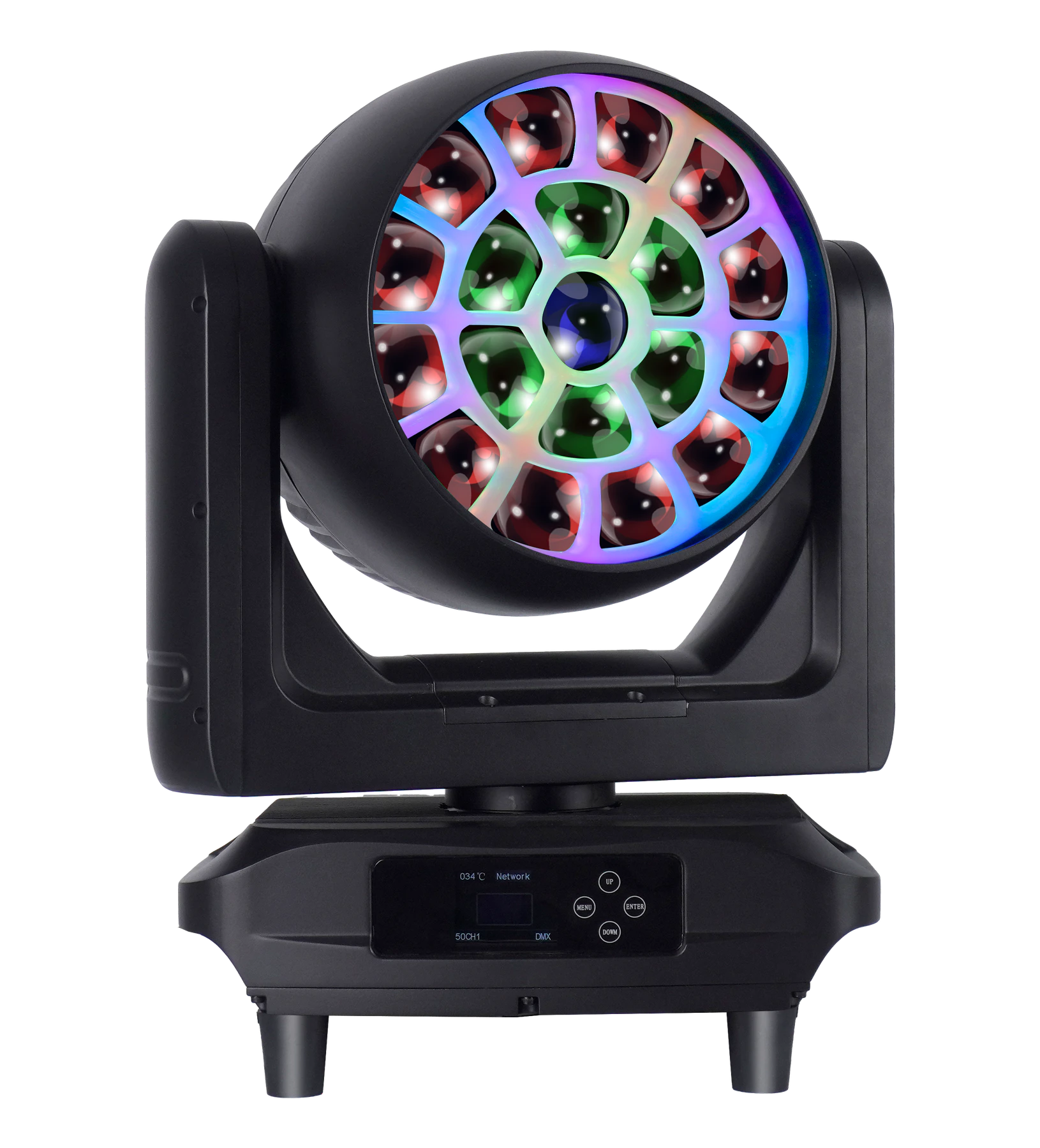
19×50W RGBL LED Wash Moving Head
A conditional RGBL evaluation candidate for project teams comparing motorized zoom, several control footprints, network control and individual 19-cell programming.
- 19×50W RGBL 4-in-1
- 210 RGB backlight LEDs
- 6°–55° motorized zoom
- 26 / 50CH1 / 50CH2 / 127CH
- DMX / RDM / Art-Net / sACN
- 17 kg
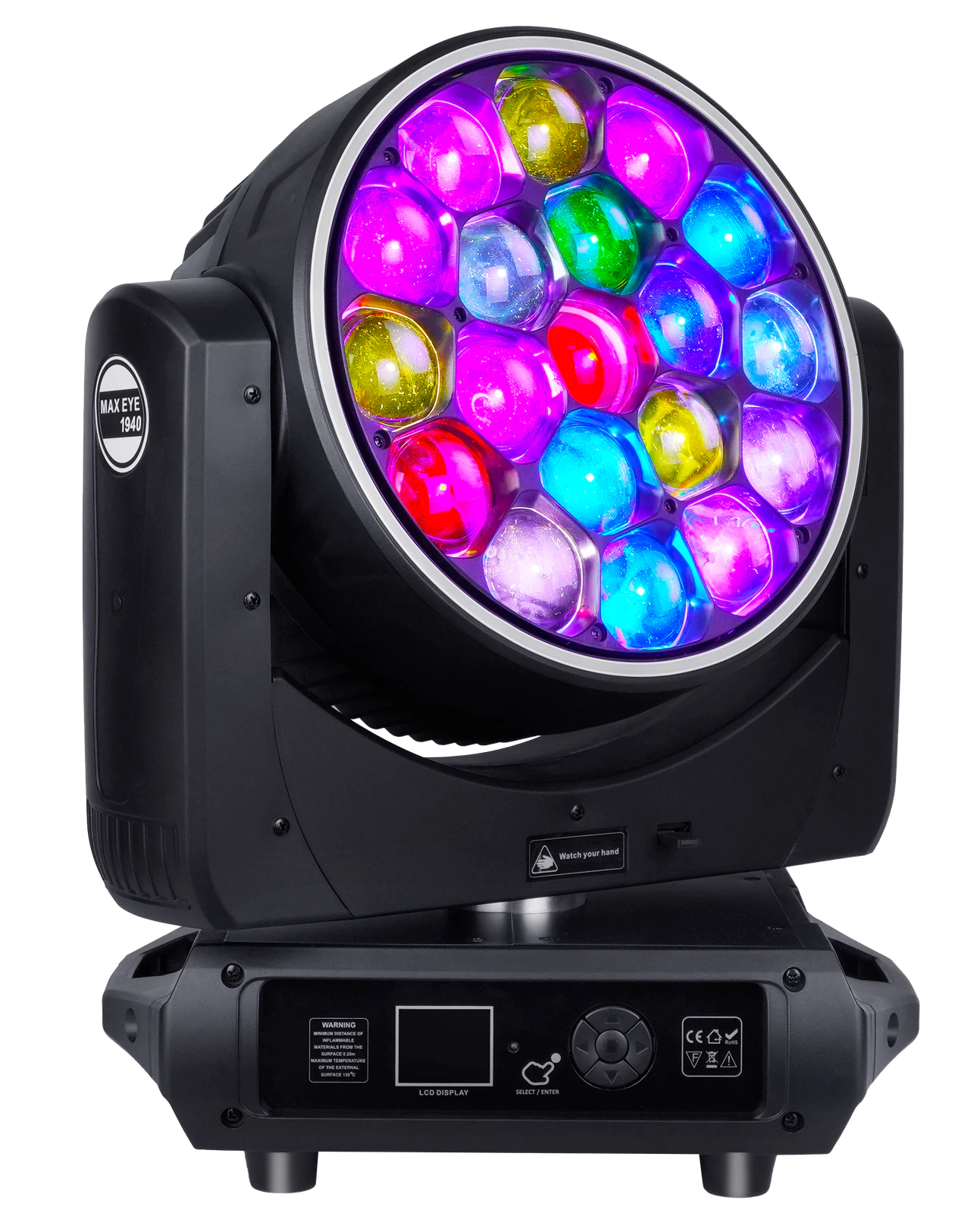
19×40W RGBW LED Wash Moving Head
An indoor RGBW evaluation candidate for project teams comparing wash color with individual control, rotating-lens and halo effects.
- 19×40W RGBW
- 7°–45° zoom
- IP20
- Individual control
- Rotating lens
- Halo effect
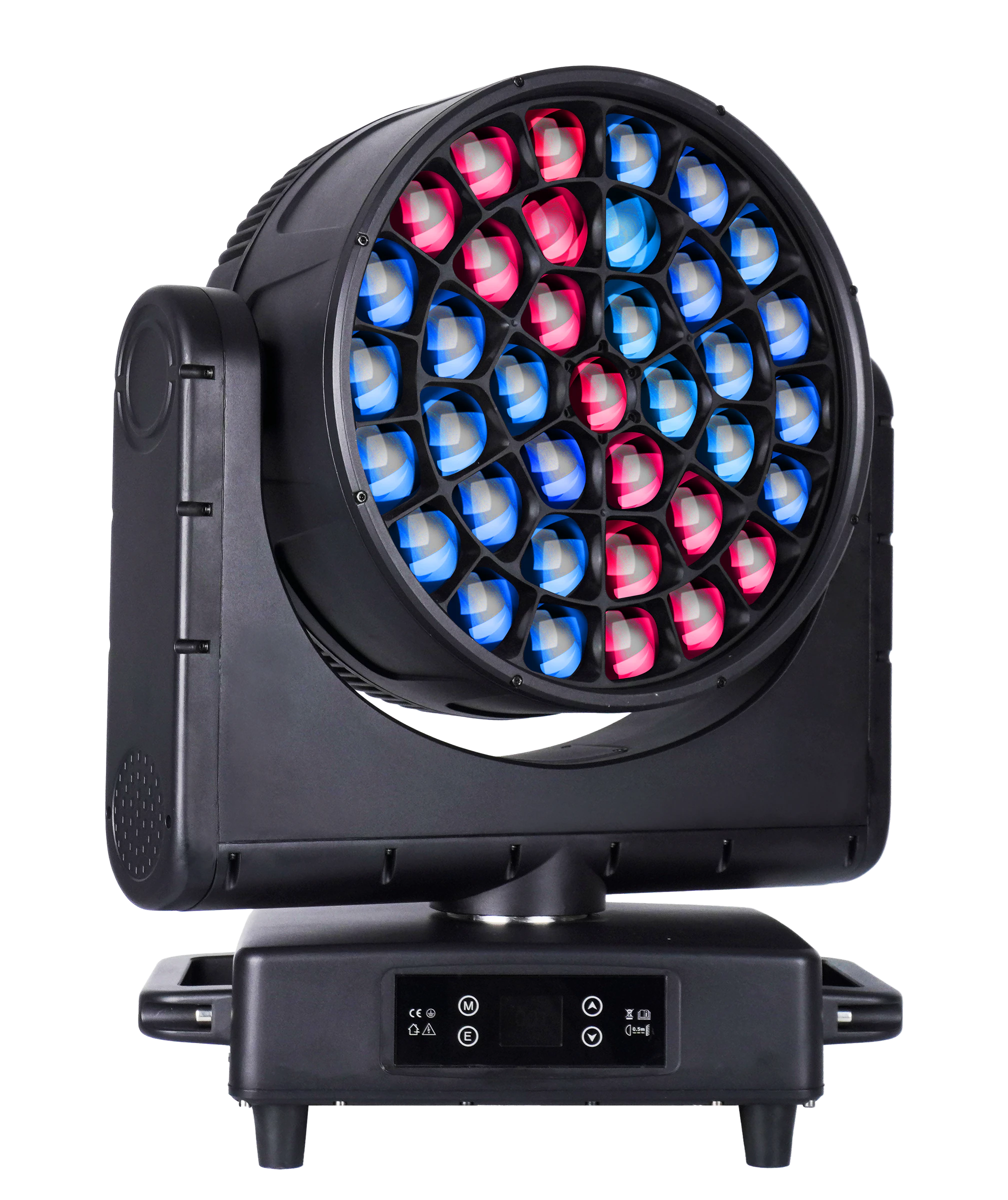
37×40W LED Bee Eye Moving Head
A larger RGBW evaluation candidate for project teams checking color behavior alongside control footprint, motion, power and handling.
- 37×40W RGBW
- 8°–48° zoom
- 1450W
- 21 / 22 / 35 / 36 / 111 / 148 modes
- 540° pan / 250° tilt
- 32.2 kg
DOWNLOADS
Technical files for evaluation
FREQUENTLY ASKED QUESTIONS