What Does Each Operating Mode Actually Control?
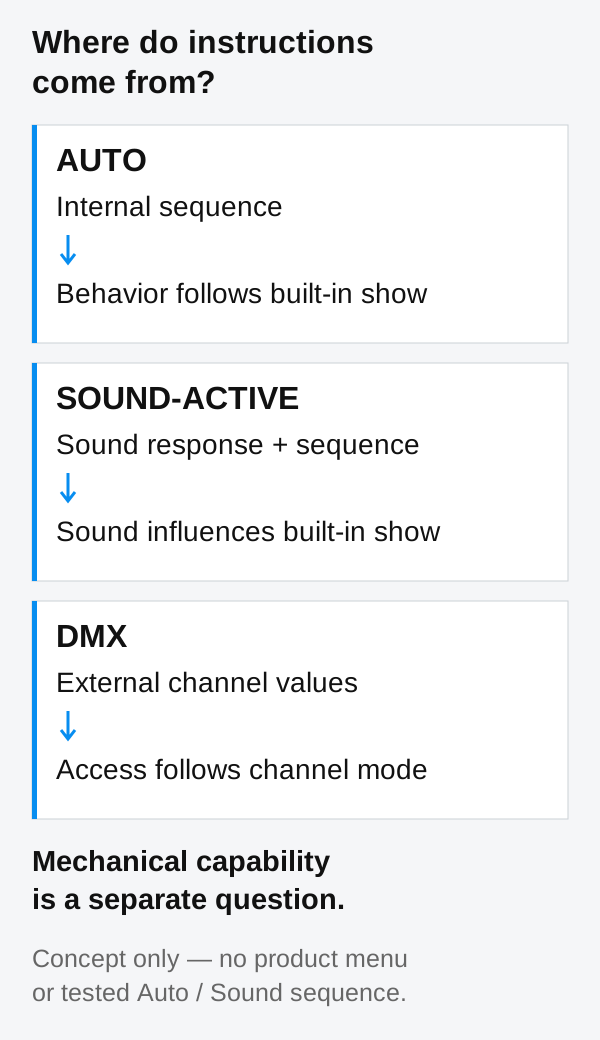
The distinction starts with where the instructions come from. In Auto and Sound-Active, the fixture runs logic stored inside it. In DMX operation, an external control system sends values to the functions exposed by the selected personality, meaning its channel mode. A channel mode can offer shared controls, per-head controls or access to internal macros.
| Mode | Control source | What you can decide | Limits to check | Demonstration to request |
|---|---|---|---|---|
| Auto | An internal sequence | The available program and any exposed settings | Program choice, speed, movement extent, lighting layers and restart behavior | The selected mode on the display, followed by a complete sequence |
| Sound-Active | An internal sequence influenced by a sound input | Any available program and sound-response settings | Input source, sensitivity, quiet behavior and what sound changes | Mode identification with continuous footage and original room audio |
| DMX | An external controller or software system | The functions exposed in the chosen channel mode | Per-head access, shared channels, macro dependencies and firmware match | The channel mode and controller state alongside the requested effect |
Auto suits a built-in sequence that fits the job. Sound-Active provides sound-responsive changes. DMX supports planned cues. Choose the workflow around the required result.
Master-Slave is a separate question
Master-Slave describes how linked fixtures follow a leading fixture. It does not, by itself, say whether the leading fixture is running an automatic sequence or reacting to sound. Confirm support, compatible models, firmware and the intended follow behavior separately. Matching output and deliberately delayed movement are different results; ask which result the exact system delivers.
For a general manufacturer example, the CHAUVET DJ Intimidator Wave IRC manual treats Automatic, Sound-Active and Master/Slave operation separately. Its settings belong to that fixture and do not describe AOLAIT products.
Independent Motors Do Not Define the Built-In Show
Keep three questions separate: can the heads physically move independently; does a particular DMX mode let you command them independently; and does a built-in Auto or Sound program use them in the pattern you want? The first question concerns mechanics, the second concerns control access, and the third concerns programmed behavior.
Imagine a hypothetical bar whose heads can tilt separately. Its automatic show might move every head together, alternate two groups, or run a fixed wave. Those are concept examples, not a description of ALP1080WV or ALP1260WV programs. Even an impressive built-in wave would not mean you could freely edit the position and timing of every head without external control.
Individual pixel control concerns separately controlled light output. It does not prove independent physical tilt. Likewise, a channel labelled as a movement macro does not demonstrate that the same macro appears in a standalone program. Judge each claim through the relevant mechanical description, channel chart or mode-labelled demonstration.
For the distinction between physical positioning and LED control, see Moving Head Bar Independent Tilt vs Pixel Control.
What to Check in Auto Mode
Ask for a demonstration of the moving head bar running without a DMX controller, showing which settings an operator can adjust on the fixture.
- Program selection: can you select a particular sequence, or does Auto cycle through a fixed collection? Ask to see each relevant choice rather than assuming every effect is selectable.
- Speed: is there a user adjustment, and what does it change? Movement speed, effect progression and strobe timing may be separate functions.
- Movement extent: can the automatic sweep be restricted for the intended application? Ask for the actual setting and resulting motion; do not infer a limit from a DMX amplitude channel.
- Lighting layers: how do the main heads and auxiliary LEDs participate? Ask whether either layer can be disabled or adjusted while the built-in show continues.
- Restart: what happens after an ordinary power cycle? Does the fixture retain the mode and settings, and what movement or output appears before normal running?
Treat these as questions, not a universal menu specification. Ask the supplier to demonstrate only the controls the current model provides. A manual test screen or service calibration menu is not the same as a normal Auto adjustment and should not be presented as the standalone operating workflow.
If you need one repeatable look, request that exact look for several complete cycles. A montage can show variety while hiding whether the sequence is selectable, whether unwanted movements occur between effects, or whether the lighting layers remain tied together.
The moving head bar auxiliary LEDs guide explains the separate light sources and why their control needs to be checked for each operating mode.
What to Check in Sound-Active Mode
A sound activated moving head bar uses some form of sound-response logic, but the mode name does not specify precise beat tracking. Ask where the trigger comes from: an onboard microphone, a documented external audio input, or another supported source. Do not assume an input that the model documentation does not identify.
- Sensitivity: is there an operator setting, and does it change triggering usefully at the intended distance from the speakers?
- Room level: how does the fixture react during quieter music, normal performance sound and louder passages? Keep the microphone position and test setup clear.
- Quiet behavior: what happens when the room becomes quiet? Observe both head positions and light output rather than assuming movement stops or the fixture blacks out.
- Response: does sound affect movement, color, dimming, auxiliary effects or the progression of a complete sequence? Observe what happens to each layer; request isolated output only where the mode offers separate layer controls.
An occasional response to bass or a loud transient is different from maintaining a stable musical tempo. Do not specify exact BPM following, song recognition or synchronization to every beat unless the supplier can document and demonstrate that capability on the exact firmware. Normal audio triggering can still suit an application without providing those functions.
Ask for quiet intervals and clear sound passages with original audio. Observe what changes and what continues, then assess the response under the intended venue conditions.
How to Read an Auto/Sound Demonstration Video
A product effects video shows appearance. To establish the operating workflow, it also needs to connect the fixture identity, selected mode and visible behavior. Music added during editing cannot show that a microphone triggered the fixture, and a DMX-programmed wave cannot be relabelled as an Auto demonstration.
- Identify the actual model and firmware. Keep ALP1080WV and ALP1260WV demonstrations separate.
- Show the selected operating mode on the display, then connect that view clearly to the effect footage. A continuous take is preferable; otherwise the segments must have an unambiguous connection.
- Use a fixed wide view that includes the full bar and every head. Keep the physical housings visible so changes in position can be distinguished from changing color or beam width.
- For Sound-Active, retain the original room audio and include quieter intervals. Explain the sound source and its position relative to the fixture.
- Disclose external control equipment, including consoles, software, interfaces and other linked fixtures. Explain which device is leading any linked group.
- Label each demonstrated setting and show complete cycles, including transitions between looks. Explain any cuts, playback-speed changes or separately recorded close-ups.
Watch the housings as well as the beams. A color chase can suggest motion even when the heads remain still. Conversely, differently angled heads in a photograph show a pose, not how that pose was reached. Compare the full sequence with the requested operating mode rather than selecting a visually convenient moment.
If a mode-labelled recording is unavailable, use this list to request one. There is no need to open the fixture or modify its installation. The aim is to observe normal operation and obtain a clear record of what the operator selected.
When Is DMX the Better Choice?
Choose DMX when the task requires instructions that a built-in show cannot deliver. Typical examples include specific head positions at a cue, a repeatable movement sequence with deliberate timing, coordination with other fixtures, or separate scheduling of motion and auxiliary output. The selected model and personality must expose the functions your plan needs.
For example, a production might require the main heads to hold a look while the auxiliary layer changes, then move selected heads for the next cue. Whether that is possible depends on the channel chart and any function dependencies. It should not be promised from the presence of auxiliary LEDs or from the largest channel count alone.
Use the DMX Channel Planning guide when comparing personalities and controller profiles. For this article, the key point is access: shared tilt channels, individual positioning channels and internal effect channels serve different programming needs.
A DMX controller does not have to be a large physical console; a suitable software-based system may be appropriate. Auto or Sound can remain the practical choice when the available sequence meets the brief and hands-on adjustment is unnecessary. Ask for the required result first, then select the workflow that produces it.
What to Confirm on ALP1080WV and ALP1260WV
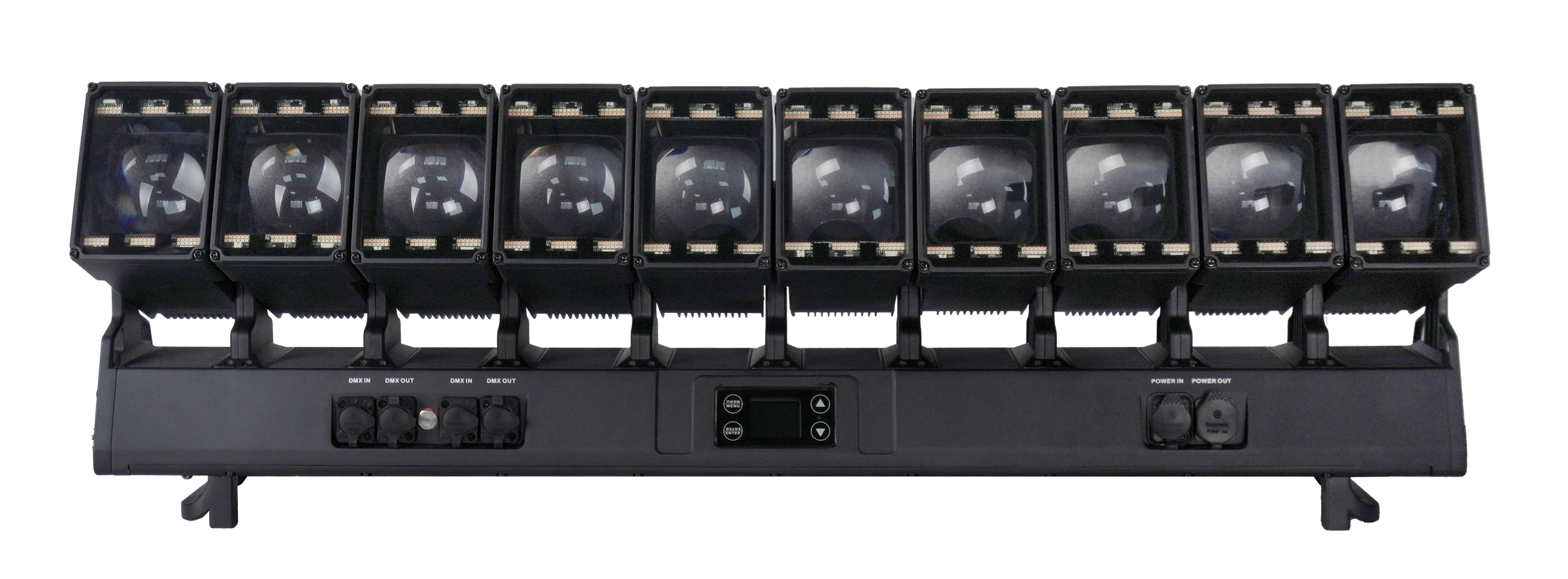
The ALP1080WV 10×80W Moving Head Bar is a ten-head platform. Its product information lists Auto, Sound-active and Master-Slave, alongside DMX personalities with per-head tilt access. Ask AOLAIT to demonstrate the desired standalone look on the current production firmware and identify the normal operator adjustments that remain available.
Ask to see how the main RGBW heads and the warm-white/cool-white auxiliary LEDs behave in each supported standalone mode. Request isolated-layer demonstrations only where that mode provides separate layer controls. A DMX pattern or movement-effect entry is not a complete description of an automatic show. Also request a current model-labelled operating guide before making menu settings part of an acceptance specification.
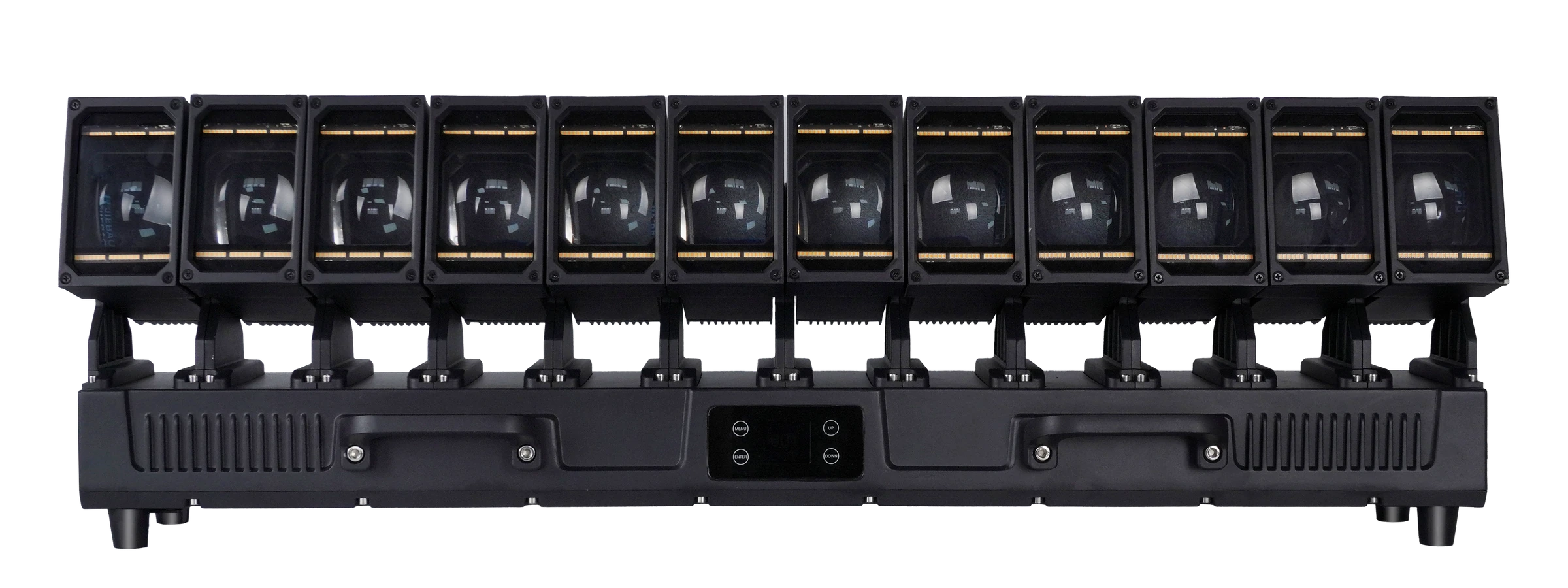
The ALP1260WV 12×60W Moving Head Bar is a separate twelve-head platform. Its operating modes include Auto 1, Auto 2, Sound-active and Master-Slave, with individual-head tilt functions in expanded DMX personalities. Request a complete cycle of each automatic mode on the supplied firmware; the mode names alone do not describe the sequences.
For ALP1260WV, ask how the RGBW heads and white/golden-amber auxiliary array behave in Auto 1, Auto 2 and Sound. Confirm the normal controls available to the operator, the response during quiet periods and the way linked units follow a leading fixture. Do not transfer ALP1080WV settings or demonstrated behavior to this model.
For either model, make a short acceptance brief: the operating mode, the exact movement you want, the lighting layers involved and the adjustments you need. Request one recording per mode, firmware information and an explanation of the demonstrated settings. This connects the product choice to an observable result.
FREQUENTLY ASKED QUESTIONS