Does Individual LED Control Mean Each Head Can Move?
No. Individual LED control changes the color or brightness of a light source; independent tilt changes the physical direction of a head. A moving head bar can offer individually controlled RGBW cells while the entire optical bar moves together. To check independent tilt on a moving head bar, look for separate physical head movement, a DMX personality that addresses those heads separately, and a demonstration using that personality. A color chase, a high channel count or a photograph of different beam angles cannot answer all three questions. Specify the positions you need before selecting a fixture.
At Aolait, we separate the lighting look from the motion requirement. Specify whether you need alternating heads to aim differently or different colors along a line that moves as one unit. Those choices create different programming possibilities.
Four Different Capabilities Hidden Behind “Individual Control”
Ask what is individual: a color channel, a lighting zone, a physical head or an optical mechanism. A smaller DMX personality may group functions that a larger personality separates.
Individual Color and Dimming
A pixel or cell is an addressable lighting element or group. Direct RGBW control lets a programmer set different colors along the bar. Dimming changes intensity. Neither operation requires a head to change direction. Also ask whether dimming is per head or shared: separate color channels do not automatically include a separate master dimmer for every head.
Whole-Bar Tilt
A tilting batten moves its optical assembly as a unit. All its cells can change their aim together while still showing different colors. In a multi-head fixture, a shared tilt command can instead ask several physically separate heads to move together. These arrangements may look similar in one synchronized cue, so identify both the mechanism and the control grouping.
Independent Tilt of Each Head
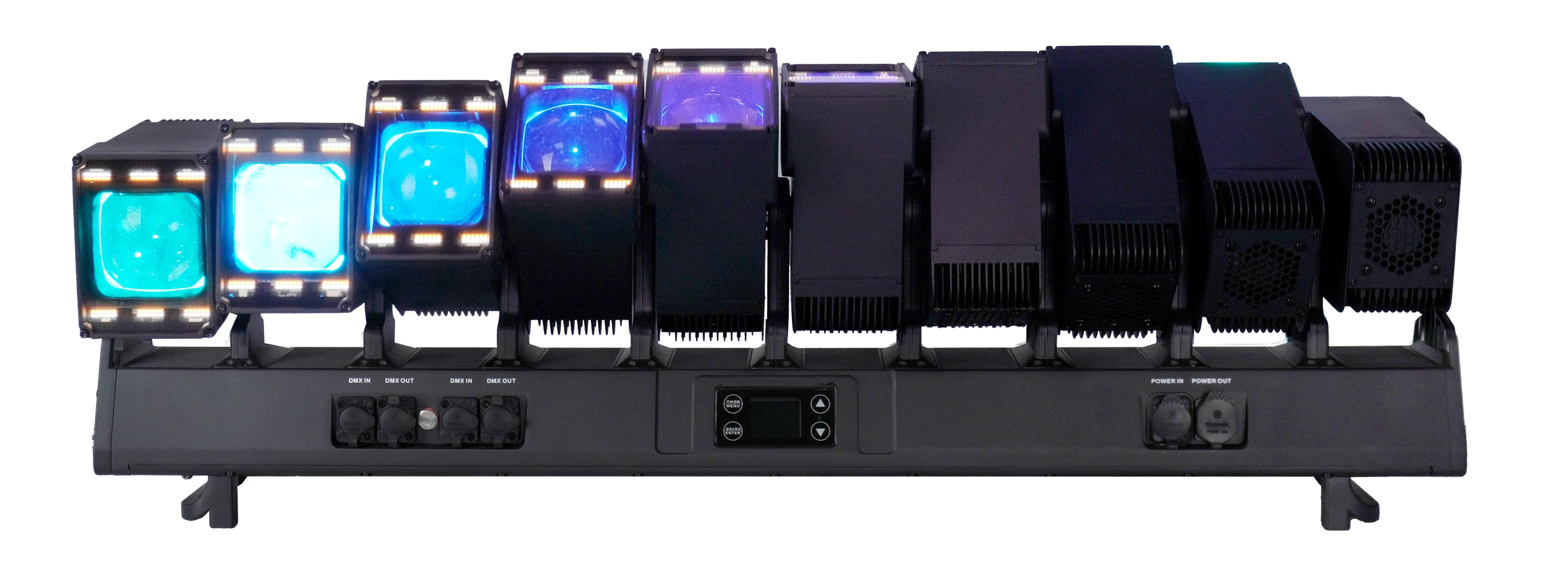
Independent physical tilt lets one head change direction while another remains in position. Direct per-head DMX control adds the ability to choose those positions separately. A built-in wave macro may move multiple heads differently, but selecting a wave is a different task from setting a particular head to a particular position.
Motorized Zoom
Zoom changes beam width through an optical mechanism. It does not aim the head. Ask whether zoom is shared, grouped or per head in the personality you will use. Request the optical range separately from the movement range, and distinguish beam angle from field angle when comparing measurements.
| Capability | Control object | Visible change | What to request |
|---|---|---|---|
| Individual color / dimming | Main LED cell or defined group | Different colors or intensities; head positions can stay fixed | RGBW and dimmer mappings for the chosen mode |
| Whole-bar / shared tilt | Optical assembly or linked head group | All controlled beams change direction together | Mechanical description and shared tilt mapping |
| Independent head tilt | Separate physical heads | One head changes direction while others hold | Head-by-head tilt mapping plus a selective-movement demo |
| Motorized zoom | Lens mechanism or defined lens group | Beam becomes narrower or wider | Zoom grouping, optical-angle data and a zoom demo |
Auxiliary LEDs form another lighting layer. Their white, amber or other color channels should be read separately from the main RGBW channels and from tilt. Separate emitters do not tell you how many independently addressable auxiliary zones exist. Keep that question distinct from whether the main heads can physically move. For auxiliary palettes and bar selection, read our moving head bar auxiliary LEDs guide.
For the broader relationship between lighting layers, see our Wash FX, pixel control and backlight guide. Here, the key question remains which physical heads can change direction separately.
What Actually Confirms Independent Head Movement?
Use three complementary checks. A mechanical description explains what moves. A mode-specific DMX chart explains which positions you can command. A demonstration shows the fixture responding. Each answers a different question, so ask for all three when individual head movement is essential to the show.
For “each head has its own motor,” request an explicit manufacturer statement for the exact model and production configuration. Different head angles do not reveal the internal drive arrangement. RGBW channel totals cannot be converted into a motor count. There is no need to open the fixture for this purchasing question.
In the chart, look for tilt assigned to identifiable heads rather than only a shared tilt function or a movement-effect selector. A fine-tilt parameter usually provides finer positioning resolution alongside the main tilt parameter; it is not an extra head or another physical axis. Ask how the chart identifies the left-to-right head order in your intended mounting orientation.
Professional documentation illustrates the distinction. CHAUVET Professional describes the COLORado PXL Bar 16 as a tilting batten with individually controlled LEDs. Its COLORado PXL Curve 12 documentation separately identifies individual tilt, zoom and color across twelve heads. These are examples of different control descriptions, not specifications for an Aolait fixture.
Why the Selected DMX Mode Matters
A fixture can have independent tilt hardware without exposing direct head-by-head positioning in every DMX personality. A compact mode may offer shared positioning and built-in effects for a shorter patch. An extended mode may expose separate movement, color, zoom or auxiliary-zone parameters. Mode names and channel totals alone do not tell you which combination is available.
Read the actual function list rather than assuming that the largest number is always the right choice. A personality designed for detailed color control may allocate its additional channels to RGBW resolution or auxiliary zones. Another personality may prioritize movement while keeping color shared. Select the mode that exposes the controls your design needs, then plan its footprint.
Movement macros add another distinction. With a macro active, a parameter may set an offset, amplitude or speed rather than a freely chosen head position. Ask how to select direct positioning and which settings affect the result. A convincing test holds all other functions steady while one head responds to its own tilt command.
Match the console profile to the fixture’s personality and firmware. It should expose the required head attributes clearly enough for the programmer to select them. Agree on the console and software version before the sample demonstration.
Once the movement functions are clear, use our DMX channel planning guide for patch footprints, universes and profile coordination. Those planning tasks support this decision; they cannot create a movement function that the selected personality does not provide.
What to Request in a Real Demonstration Video
Ask a supplier technician to record a fixed-camera clip showing the complete fixture and all heads. The frame should make physical housings visible, rather than showing only beams on a wall. Identify the model, firmware and selected DMX personality at the beginning, and keep the fixture in view through the movement sequence.
- Start with all heads stationary and use a steady light setting so their orientation is easy to see.
- Move one identified head while the remaining heads hold their positions; then repeat with another head.
- Show two selected heads moving differently while the rest stay still. Include a pause so the held positions are clear.
- Change colors without moving the heads, then move the heads without changing colors. This separates lighting control from movement.
- If individual zoom matters, show the requested zoom behavior separately while keeping aim steady.
Ask the technician to state which requested functions the demonstrated mode supports. Keep each test continuous, with no cuts or camera moves that hide the response. A creative effects clip can then show the functions working together.
If you need the result without a controller, request a separate Auto or Sound-active recording. Independent motors and a DMX demonstration do not define the built-in show. Ask which program is running and whether it produces the particular head behavior you want. An ordinary effects-video title does not identify the operating mode. See the Auto, Sound-Active and DMX guide for a mode-specific demonstration checklist.
Checking a 10-Head or 12-Head Bar Before Ordering
The ALP1080WV 10×80W IP65 Moving Head Bar uses ten 80W RGBW main emitters. Keep the exact model code and LED configuration attached to your specification request and demonstration video.
The ALP1260WV 12×60W IP65 Moving Head Bar uses twelve 60W RGBW main heads. Both platforms provide independent head tilt and motorized zoom, but the programming comparison should use the personality selected for each fixture. Their different head counts are only the starting point for deciding how to distribute movement across your design.
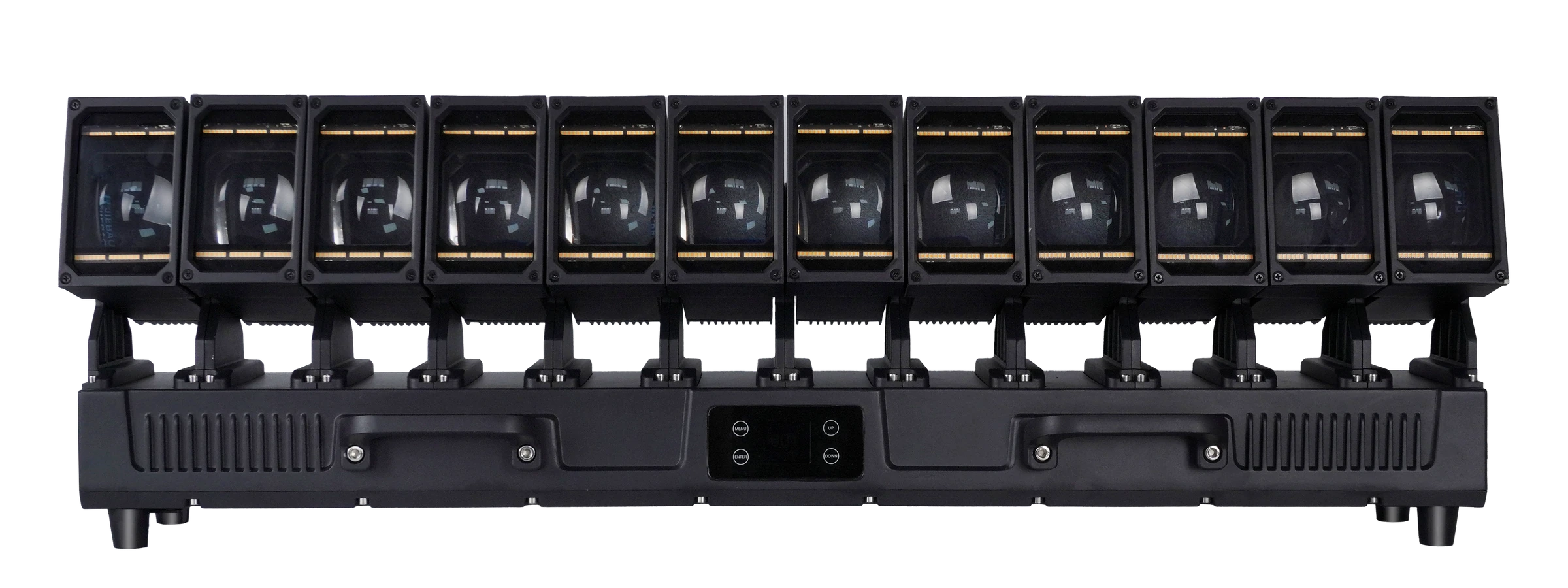
The auxiliary LEDs differ too: ALP1080WV has warm-white and cool-white arrays; ALP1260WV has a white and golden-amber auxiliary system with 432 × 1W LEDs. Neither description means RGB auxiliary output, and that emitter quantity is not a count of independently addressable DMX pixels. Ask for the relevant grouping in each selected mode.
ALP1080WV offers 29, 56, 144, 216, 262 and 282-channel personalities. ALP1260WV offers 26, 59, 128, 152, 182, 314 and 329-channel personalities. Use these lists to request the correct charts, not to rank one model above the other. Ask our technical team to demonstrate the specific head-position and zoom functions you need in the intended mode.
Define the beam directions, mounting orientation and coverage you need. Request model-specific movement and zoom ranges. For beam-width terminology, see what a zoom wash moving head does. A head count or nominal LED wattage does not replace that optical comparison.
Questions to Send Your Supplier
Copy these questions into your technical request. Add the exact model, intended console and show requirement, and ask for a separate answer for each model.
- Does each main head physically tilt independently, and does each head have its own tilt motor? Please state the drive arrangement for this model.
- Which DMX personality allows me to set each head’s position separately while the others hold? Please send the matching chart and firmware identification.
- How are the heads numbered in the mounting orientation I will use, and how are shared movement and movement macros separated from direct positioning?
- In that same personality, which main RGBW, dimmer and zoom functions are per head, grouped or shared?
- How are the auxiliary LEDs controlled in that mode? Please keep their controls separate from the main RGBW and tilt functions.
- Can your technician record a continuous full-fixture clip showing one head moving, other heads holding, and then two heads moving differently?
- If I need this behavior in Auto or Sound-active mode, which built-in program can perform it? Please demonstrate that program separately from DMX.
Keep the agreed configuration, chart and demonstration together with the sample order. Later, carry those requirements into the stage-lighting pre-shipment inspection plan so the delivered fixtures are checked against the functions you selected, rather than against a generic list of effects.
FREQUENTLY ASKED QUESTIONS