
Definition
What Is a Wash FX Moving Head?
Wash FX describes a functional combination, not one standardized optical layout.
A Wash FX moving head performs a practical wash task while producing visible effects from its optical face, auxiliary emitters or internal effect engine. The effect layer may create cells, zones, rings, lines, backlight, chases or camera-facing patterns.
“Wash FX” is not one technical standard. Fixtures may use moving sub-heads, a linear pixel surface or a wash engine plus auxiliary emitters. The Aolait Wash FX moving head collection organizes dedicated effect architectures; this article explains their visual and programming concepts.
- Identify the light source that creates the main wash.
- Identify every additional element that is physically visible.
- Check which channels expose those elements directly, by groups or through macros.
Primary output
The Main Wash Layer
The main engine should be evaluated first as a wash, before any face effect is added.
The main layer handles surface coverage, color mixing, aerial output in haze, dimming, strobe and zoom. A show can use it alone for clean scenic color, then add effects only when the cue needs more visual information.
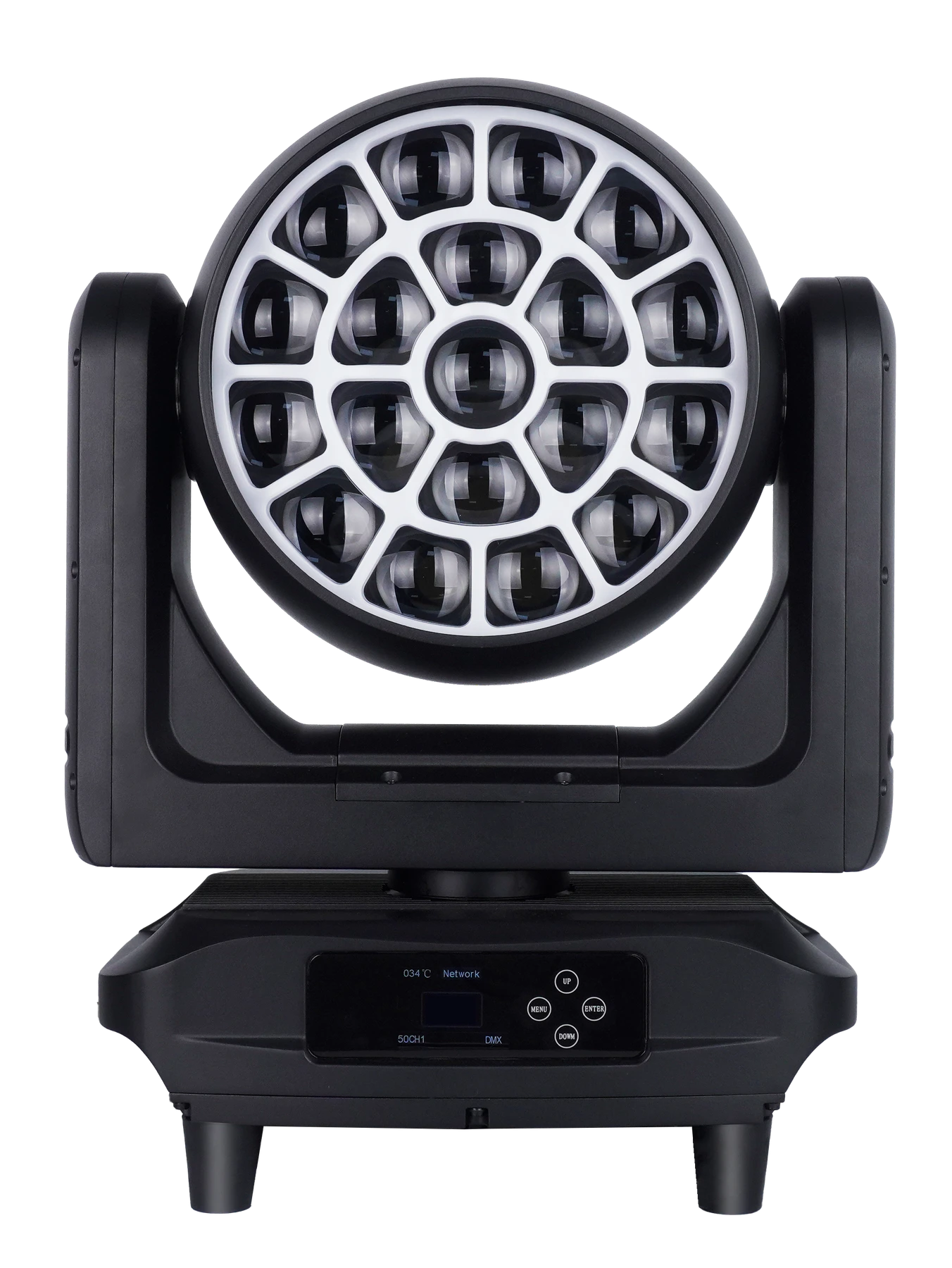
The Aolait AL1950WX uses 19 × 50W RGBL main LEDs and a 6°–55° motorized zoom. The narrow end supports more defined aerial looks; the wide end covers a larger scenic area. Compare zoom positions at the same throw, exposure and target surface.
RGBL describes the four-color main emitter architecture, not the complete color result. White targets, pastels and saturated colors still depend on mixing, optics, dimming and programmed values. Use the RGBL and RGBW wash comparison for a focused color-test method.
Control language
Individual Cells, Pixels, Zones and Rings
Hardware count and control count are related, but they are not interchangeable.
| Term | Practical definition | What to check |
|---|---|---|
| Physical cell | One visible LED-and-optic element | Front layout and emitter specification |
| Controllable pixel | One data element the selected mode can address independently | DMX chart and cell map |
| Zone | Several cells controlled as one group | Zone count, shape and channel order |
| Ring | A circular group around the optical face | Which rings exist in each personality |
| Macro | A pattern generated inside the fixture | Selection, speed, fade and transition ranges |
| Backlight or halo | Auxiliary emitters around or between the main optics | Separate dimmer, color and effect channels |
Nineteen LEDs do not automatically mean nineteen controllable pixels. A compact personality may treat all cells as one color, a medium personality may expose rings, and an extended personality may provide cell-by-cell data.
For AL1950WX, individual control of all 19 main cells is tied to 127CH. Its 50CH2 personality instead provides three-ring control. For more on cell maps and multi-lens optics, use the Bee Eye pixel-effects guide.
Second visual layer
The Backlight or Auxiliary Visual Layer
Backlight is designed to be seen on the fixture face rather than treated as the main long-throw wash.
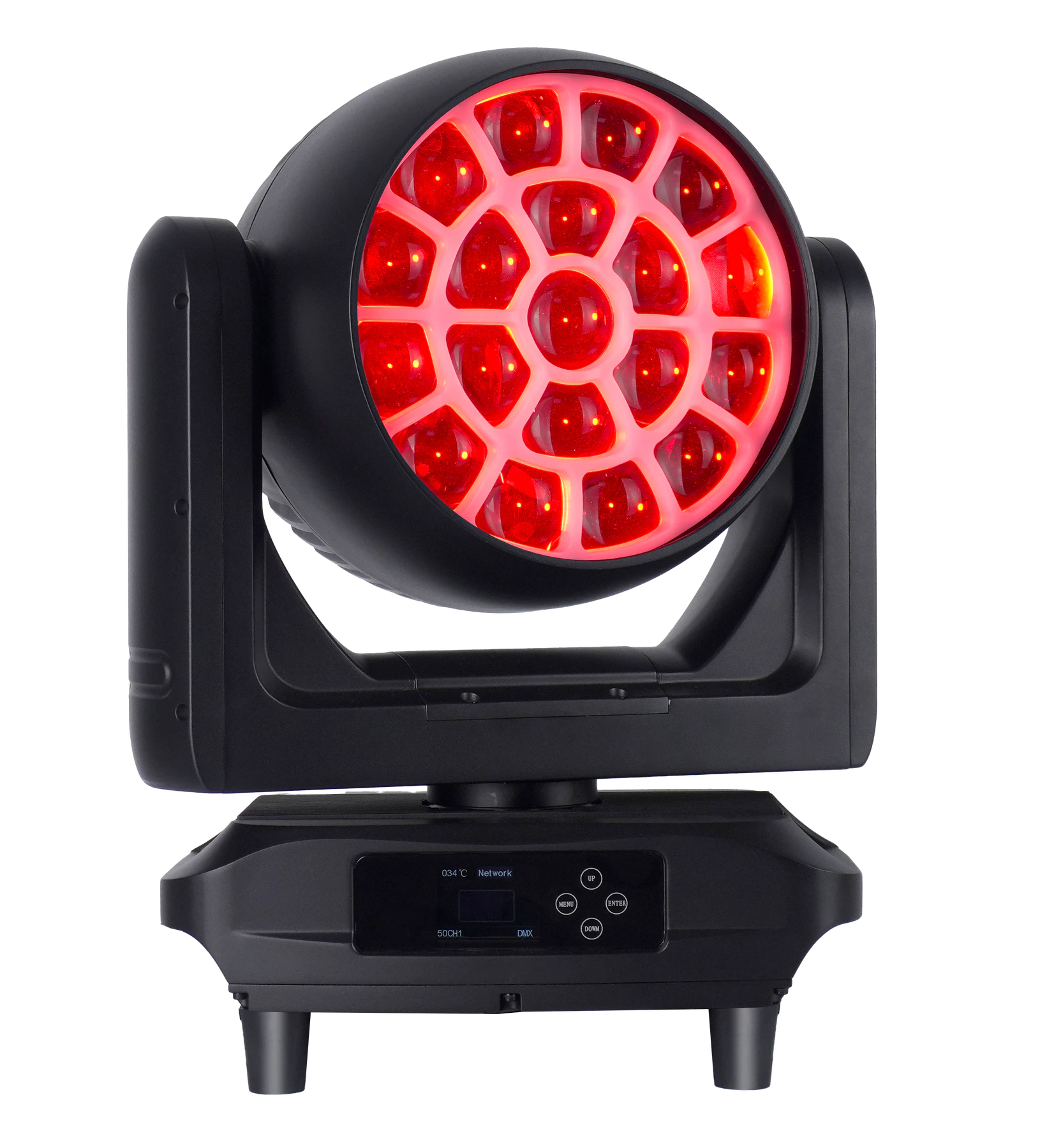
A backlight layer places colored light between, behind or around the main optics. Its role is usually visual rather than long-throw coverage, and it can remain visible when the main wash is dim or aimed elsewhere.
- Contrast: place a cool backlight behind a warm main wash to separate the layers.
- Synchronization: match color and timing so the whole optical face reads as one event.
- Separation: hold one layer static while cells or effects move in the other.
Neutral comparison
Standard Wash vs Bee Eye vs Wash FX
Choose by optical role and required control depth rather than treating one category as universally better.
| Decision area | Standard wash | Bee Eye moving head | Wash FX moving head |
|---|---|---|---|
| Primary purpose | Even color coverage and movement | Wash or beam-style output plus a visible multi-lens face | Wash coverage plus a dedicated effect architecture |
| Visible optical face | Usually designed to blend | Cells, rings or rotating optics are often prominent | Varies: cells, lines, moving sub-heads or auxiliary surfaces |
| Individual cell control | None, grouped or model-specific | Common in extended modes, but not automatic | Architecture- and personality-specific |
| Backlight or halo layer | Less common | Available on some models | May be central, optional or absent |
| Zoom | Common but model-specific | Common on many models | Entirely model-specific |
| Built-in effects | Color, strobe and limited patterns may be present | Cell, ring or optical macros may be present | Effect engine is usually an important operating layer |
| Programming complexity | Low to medium | Medium to high | Medium to high |
| Best-fit applications | Scenic coverage, key color and general wash duties | Audience-facing patterns, cell looks and aerial texture | Hybrid rigs, layered face effects and flexible event packages |
A Zoom Wash moving head fits coverage-led briefs. A Bee Eye moving head prioritizes a visible multi-lens face. Wash FX combines useful wash output with a distinct effect architecture.
Programming examples
Building Looks with One or Two Visual Layers
These are programming concepts, not claims about named AL1950WX preset macros.
Main wash only
Set a clean color, dimmer and zoom position with auxiliary layers dark.
Main wash plus contrasting backlight
Hold the main engine in one color and place the backlight in a contrasting hue. Balance the two intensities.
Cell chase plus static wash
Keep a stable wash while a direct cell sequence moves across the face. The mode and profile must expose the correct cell order.
Wide scenic wash plus camera-facing pattern
Open the zoom for coverage and run a restrained face effect. Set exposure from the actual camera position.
Multi-fixture offset effects
Offset the same chase across fixtures at the console; this does not require a dedicated fixture macro.
Control choice
Direct Pixel Control vs Built-In Effect Macros
The correct method depends on how specific the image must be and how much control capacity is available.
Direct pixel control offers precise cell color, timing and spatial design, but consumes more DMX slots and programming time. It needs an accurate cell map and profile.
Built-in macros create patterns with fewer parameters, but their shapes and transitions are limited to the internal engine. Record selection, speed, fade, direction, transition and any exposed offset controls.
Use direct control for specific cell images and macros for fast, repeatable general looks. Many productions use both.
The DMX channel planning guide covers addressing, universes, profiles and network topology. Here, the key rule is to choose the smallest personality that exposes every layer the show will use.
AL1950WX control
What 26, 50 and 127 Channels Change
The four AL1950WX personalities expose different control structures, not simple quality grades.
| Personality | Practical control scope |
|---|---|
| 26CH | Core movement, main color, strobe, dimmer, color tools, zoom and fixture functions |
| 50CH1 | The 26-channel core plus main-pattern controls and an auxiliary-light effect layer |
| 50CH2 | The 26-channel core plus main-pattern controls, point-control crossfade and three-ring control |
| 127CH | The extended pattern and auxiliary controls plus individual control of all 19 main cells |
The ANSI E1.11-2024 DMX512-A standard defines the interoperable control transport used for DMX equipment. One universe carries up to 512 slots. Four AL1950WX fixtures in 127CH use 508 slots, leaving four. That is arithmetic capacity only, not a recommended patch.
Pixel-heavy rigs often carry multiple universes over Ethernet. The ESTA published standards list identifies ANSI E1.31-2025 for streaming ACN, while the official Art-Net overview explains Art-Net transport. AL1950WX supports DMX, RDM, Art-Net and sACN; the network plan must still match the console, switches and universe map.
System planning
Where a Wash FX Fixture Can Reduce Fixture Count
A layered fixture can combine roles, but it should not be treated as a universal substitute.
A layered fixture may cover a wash role and part of an effect role from one position. That can free truss space, reduce some power and data connections, and increase fixture use across show formats.
A Wash FX fixture does not automatically replace:
- a beam fixture for long-distance aerial work;
- a media server for mapped content;
- every Bee Eye optical function;
- every pixel bar or strobe;
- a wash chosen for a specific throw.
Start with the cue list. The LED wattage and cell-configuration guide separates emitter layout from optical performance.
Show workflows
Application Examples
The same layered architecture supports different tasks in different production environments.
Concert and touring
Use the main layer for color and aerial movement, then reserve cells or auxiliary light for accents. Standardize the personality and profile.
Rental and event production
Create a compact general-event show file and a separate extended pixel package. Demonstrate what changes between them.
Television and streamed events
Treat the face and stage wash as separate exposure tasks. Test backlight, dimming, cell edges and movement with the production camera settings.
Clubs and entertainment venues
Use restrained face effects as scenic texture. Macros simplify general operation; direct cells support programmed shows.
Theme parks and immersive events
Layer stable environmental color with timed face patterns. Check reset, synchronization and recovery.
Repeatable test
How to Demonstrate and Approve a Wash FX Sample
Run the same sequence on every sample and store the operating details with the result.
Ten-step demonstration sequence
- 01Clean white or pastel wash
Judge blending, field and low-level behavior.
- 02Saturated wash
Compare color and intensity without auxiliary effects.
- 03Main layer only
Establish the primary optical role.
- 04Backlight only
Inspect the auxiliary surface and color control.
- 05Main and backlight combination
Balance two visible layers.
- 06Individual-cell chase
Confirm the selected mode and cell order.
- 07Built-in macro
Record selection, speed, fade and transitions.
- 08Movement plus effect
Check timing and repeatability through pan and tilt.
- 09Multi-unit synchronization
Compare several fixtures on the same cue.
- 10Reset and profile check
Confirm home state and console behavior after restart.
Record DMX mode, firmware, console profile, camera settings and sample serial number so the sequence can be repeated.
Product example
AL1950WX Dual-Layer Example
AL1950WX demonstrates the difference between a main wash engine and a separately visible auxiliary layer.
The Aolait AL1950WX product page presents a documented example of a wash moving head with two visible lighting layers.
- 19 × 50W RGBL main LEDs
- 210 × RGB backlight LEDs
- 6°–55° motorized zoom
- 19-cell individual control in 127CH
- 26CH, 50CH1, 50CH2 and 127CH
- DMX, RDM, Art-Net and sACN
- 540° pan and 270° tilt
In Aolait’s taxonomy, AL1950WX belongs to Zoom Wash, not the dedicated Wash FX collection. It appears here because its main engine and backlight demonstrate the visual-layer principle.
The uploaded close-up shows colored backlight and selected main cells together. It demonstrates layer contrast and separation, not photometric output, throw or a named macro.
RECOMMENDED PRODUCTS
Models to evaluate against your brief
We organize model-specific product facts and available technical files to support fixture comparison and project planning.
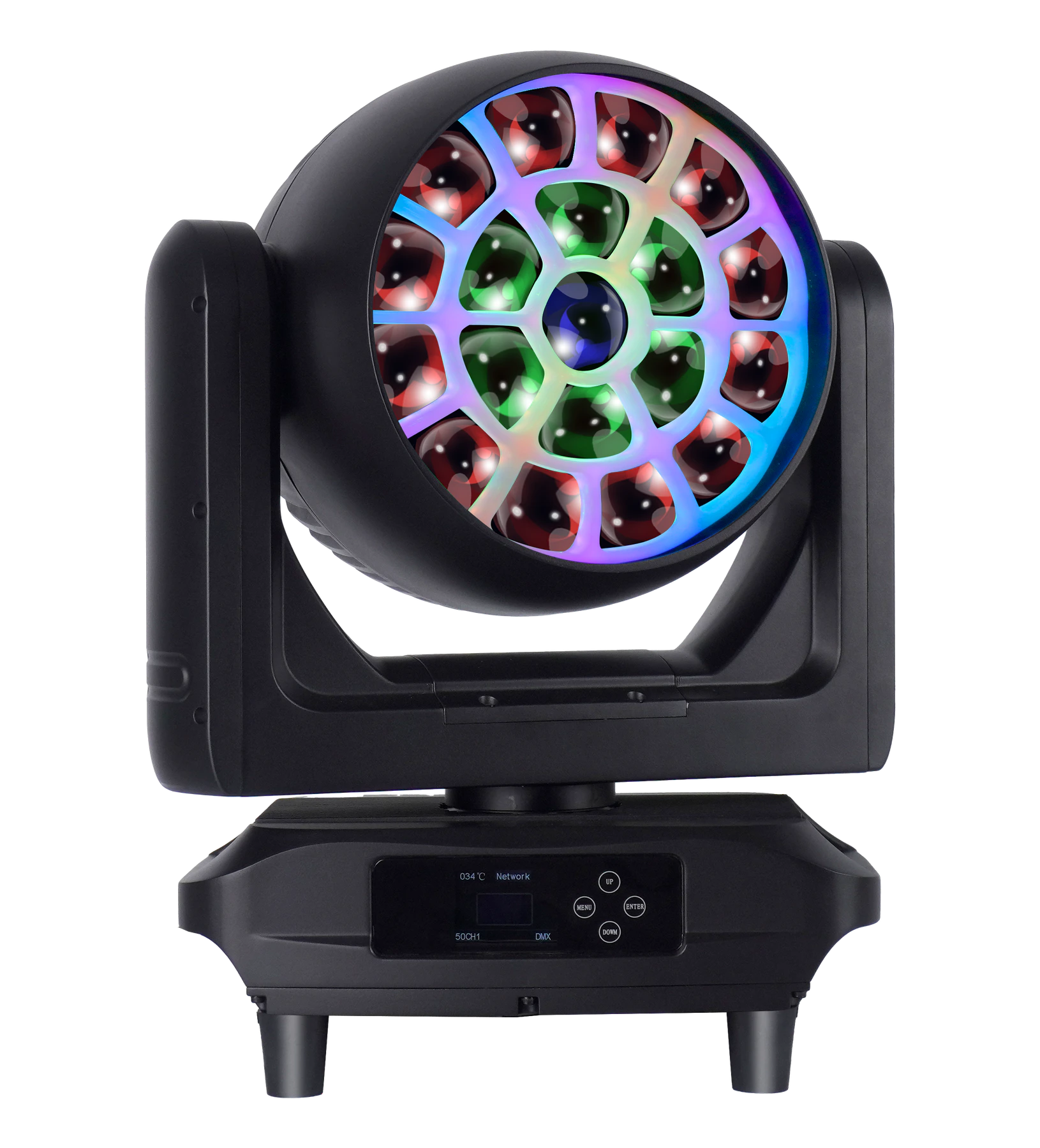
19 × 50W RGBL LED Wash Moving Head
Compare a 19-cell RGBL main engine, separate RGB backlight, motorized zoom and four control personalities for projects that need wash coverage plus a visible face layer.
- 19 × 50W RGBL main LEDs
- 210 × RGB backlight LEDs
- 6°–55° motorized zoom
- 26CH to 127CH personalities
FREQUENTLY ASKED QUESTIONS