Purpose and limits
What a Stage Lighting Inspection Must Establish Before Shipment
A useful inspection connects the exact production lot to an approved configuration and a documented release decision.
An LED moving head can power on and still be wrong for the order. The label may show another model, a connector may differ from the approved build, pan or tilt may miss its home position, a pixel map may not match the DMX table, or the carton may contain the wrong bracket. A professional pre-shipment inspection of lighting equipment therefore checks identity, construction, operation, files and packing as one connected system.
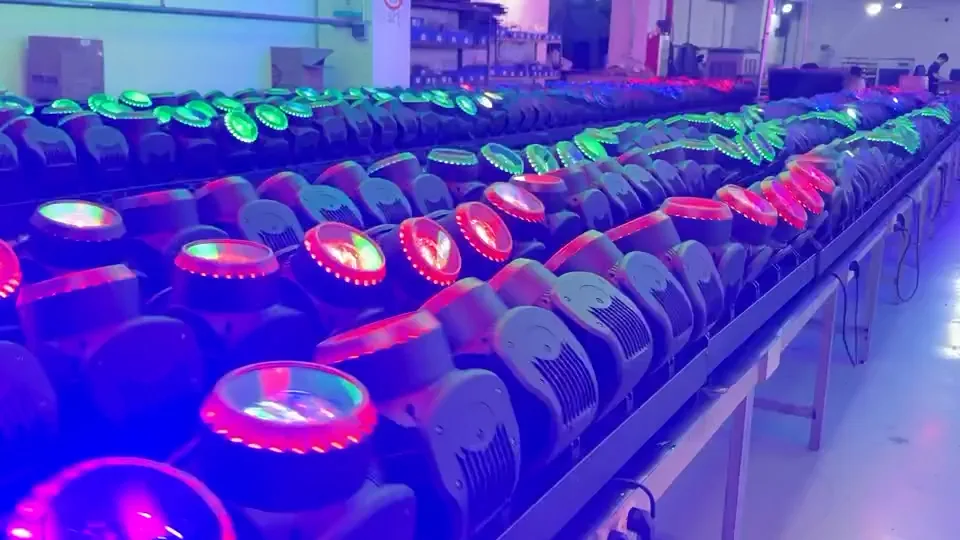
Aolait factory media shows completed moving heads in shared function states. Each order still needs a signed baseline, responsibilities and gate records. See Aolait’s manufacturing support on the About Aolait page.
From sample to release
Separate the Seven Quality Gates
Stage lighting quality control starts before final inspection and continues until the packed lot and shipment files are released.
| Gate | Purpose | Working record |
|---|---|---|
| Approved sample / golden sample | Freeze the accepted model, configuration, finish, firmware, functions, labels, accessories and packing basis. | Signed sample, serial or sample ID, dated photos, approved specification and change list |
| Incoming material or key components | Check named components where the order plan controls LED type, optics, power supply, motors, connectors or other critical parts. | Component specification, supplier or batch ID, inspection item and disposition |
| Assembly in-process checks | Catch cable routing, connector seating, fastener, grounding arrangement, thermal interface and mechanical alignment issues before enclosure. | Workstation checkpoint, unit or batch ID, finding and rework record |
| Final functional inspection | Run startup, reset, menu, movement, optics, dimmer, strobe, color, pixel or zone and control functions on completed fixtures. | Test sequence, controller values, firmware, result and unit ID |
| Aging / burn-in inspection | Operate fixtures under the model and order plan to expose early or intermittent faults before packing. | Units included, start and finish, operating sequence, observations, failures and retest |
| Customer witness / factory acceptance inspection | Allow the customer, factory team or independent inspector to witness the agreed sample and close findings. | Lot status, sample selection, continuous video, test record, defect list and retest status |
| Packing and document release | Match accessories, labels, cartons or flight cases, spare parts, quantities and released files to the order. | Packing list, carton marks, file revisions, quantity reconciliation and release approval |
For custom branding, firmware, control modes or packing, establish these gates during the Aolait OEM / ODM process. A change after sample approval should return to the relevant gate instead of passing directly to shipment.
Baseline, coverage and timing
Set the Acceptance Plan Before Production
An inspector cannot make a defensible decision from phrases such as normal movement or good quality.
Build an inspection-ready order
- 01Lock the identity
Record model, order quantity, voltage and plug, housing and logo, hardware and firmware, DMX personalities, accessories, carton marks, packing method and any approved deviation.
- 02Name the acceptance references
Use the purchase order, golden sample, approved drawings and artwork, model manual, DMX table, fixture profile scope and packing list. Give each controlled file a date or revision.
- 03Define coverage
State which checks apply to every unit and which use a lot sample. Set any AQL, sample size and allowed defect count only through the agreed order plan or named standard.
- 04Prepare the test setup
List the controller or tester, cables, input condition, fixture mode, start address, cue sequence, viewing conditions and any calibrated instrument required by a numeric limit.
- 05Set the hold and retest rules
Define when a unit or lot is held, who approves a correction, which linked checks repeat after rework and what closes the shipment release.
ISO 2859-1:2026 provides AQL-indexed lot sampling schemes when the parties select that approach. It does not define product requirements, test methods or defect severity. AQL supports a lot decision; it is neither a zero-defect promise nor a substitute for assigned per-unit checks.
Record pass, fail, hold and retest
Printable Moving Head Light Inspection Checklist
Print these tables or copy them into the agreed inspection report. Add the order, lot, sample, inspector, date, equipment and file revisions above the checklist.
| Inspection item | Test method | Acceptance reference | Result | Inspection record | Corrective action |
|---|---|---|---|---|---|
| Model, configuration, serial or batch ID and order match | Read fixture, carton and order identifiers; reconcile selected units and total quantity. | Purchase order, golden sample, label artwork and packing list | □ Pass □ Fail □ Hold | ID photo and count sheet | Action, owner and retest |
| Housing, finish, lens and display | Inspect under consistent light for cracks, dents, contamination, coating or assembly differences. | Golden sample, approved photos and workmanship criteria | □ Pass □ Fail □ Hold | Overall and close-up photos | Action, owner and retest |
| Screws, panels, feet and handles | Check presence, seating, security and visible damage without altering service settings. | Approved construction and assembly checkpoint | □ Pass □ Fail □ Hold | Photo and unit ID | Action, owner and retest |
| Bracket and hanging positions | Fit the approved bracket; inspect quarter-turn points, clamp interface and designated safety attachment. | Approved hardware list, drawing and manual | □ Pass □ Fail □ Hold | Fitted-hardware photo | Action, owner and retest |
| Nameplate and power input | Compare model, input marking, plug or inlet and visible protective condition. | Approved label artwork, order voltage and destination requirement | □ Pass □ Fail □ Hold | Nameplate and inlet photo | Action, owner and retest |
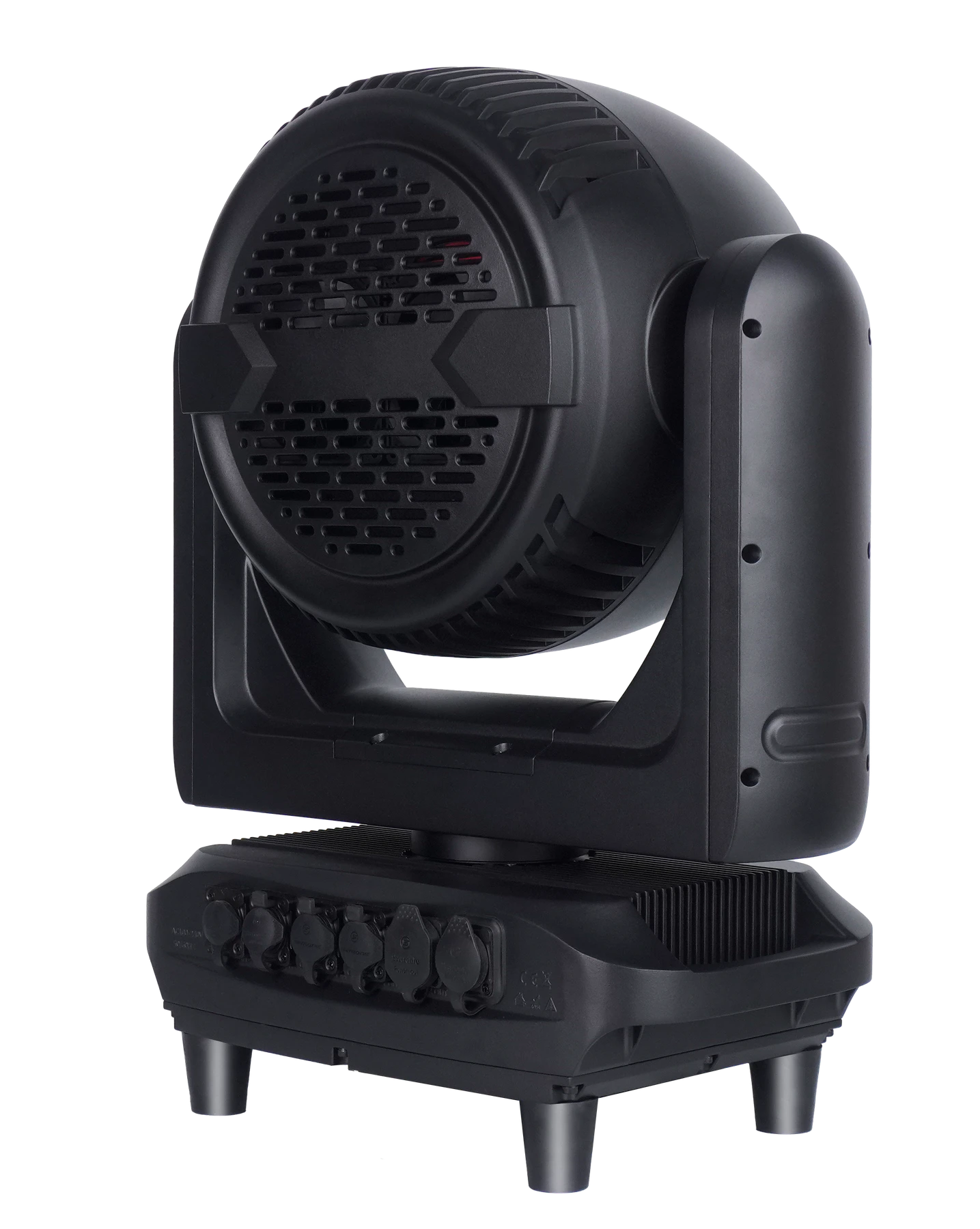
| Connectors and cables | Inspect type, pin or port layout, seating, caps where applicable, strain relief and included cable condition. | Approved connector version and accessory list | □ Pass □ Fail □ Hold | Rear-panel and cable photo | Action, owner and retest |
| Inspection item | Test method | Acceptance reference | Result | Inspection record | Corrective action |
|---|---|---|---|---|---|
| Power-on, reset and menu | Power under the agreed input condition; observe boot, homing, menu response and error display. | Model manual, order plan and approved startup behavior | □ Pass □ Fail □ Hold | Continuous startup video | Action, owner and retest |
| Pan / tilt movement, limits and home | Run slow, fast, diagonal and repeated reset cues; compare stop and home position across units. | Approved cue file, movement settings and golden sample | □ Pass □ Fail □ Hold | Controller view and fixture video | Action, owner and retest |
| Dimmer and strobe | Run low, middle and full dimmer levels, fades and documented strobe functions. | DMX table, selected personality and agreed cue values | □ Pass □ Fail □ Hold | DMX values and output video | Action, owner and retest |
| Zoom, color and macros | Cycle zoom endpoints used by the plan, primary and mixed colors, white presets and agreed macros. | Golden sample, DMX table and model functions | □ Pass □ Fail □ Hold | Cue values and matched-view photo | Action, owner and retest |
| LED cells, zones or pixel control | Address the agreed cell or zone sequence and look for dark, swapped or differently mapped elements. | Approved physical map, channel chart and fixture profile scope | □ Pass □ Fail □ Hold | Pattern video and unit ID | Action, owner and retest |
| DMX personalities and start address | Select every ordered mode, set a start address and run known channel values. | Firmware, menu names, DMX table and order configuration | □ Pass □ Fail □ Hold | Menu and controller video | Action, owner and retest |
| RDM, Art-Net, sACN or wireless | Test only functions included in the ordered model and approved hardware or software configuration. | Order option list, network plan, firmware and target control system | □ Pass □ Fail □ N/A | Discovery or control screen | Action, owner and retest |
| Fans, cooling and abnormal noise | Run the agreed operating sequence; observe fan response, warnings, unusual vibration, scraping or repeated noise. | Model operating plan and accepted fixture behavior | □ Pass □ Fail □ Hold | Video, warning code and unit ID | Action, owner and retest |
| Inspection item | Test method | Acceptance reference | Result | Inspection record | Corrective action |
|---|---|---|---|---|---|
| Aging / burn-in run | Check included unit IDs, planned sequence, start and finish, observations, failures, rework and post-run function status. | Model, order, customer agreement or inspection plan | □ Pass □ Fail □ Hold | Run log and continuous clips | Action, owner and retest |
| Manual and DMX table | Open the files; match model name, revision, mode names and channel functions to the inspected fixture. | Approved file list and firmware | □ Pass □ Fail □ Hold | File name, revision and screen capture | Action, owner and retest |
| Fixture profile and firmware | Record firmware; where a fixture profile is included, check the promised format and agreed software import or function scope. | Order file list and target console or software | □ Pass □ Fail □ N/A | Version screen and file record | Action, owner and retest |
| Brackets, safety cable, leads and accessories | Count and inspect each included item in selected cartons or cases. | Purchase order, accessory list and packing list | □ Pass □ Fail □ Hold | Laid-out contents photo | Action, owner and retest |
| Carton, foam, labels and marks | Inspect protection, fit, orientation, closure, handling marks and approved carton identity. | Approved packing method and artwork | □ Pass □ Fail □ Hold | Open and closed pack photos | Action, owner and retest |
| Flight case and spare parts | When ordered, check case capacity, foam fit, wheels, brakes, handles, latches, keys and named spares. | Approved case drawing or proposal and spare-parts list | □ Pass □ Fail □ N/A | Case operation video and count | Action, owner and retest |
| Order quantity and packing list | Reconcile fixtures, cartons, cases, accessories and spares; check model allocation and totals. | Purchase order and final packing list | □ Pass □ Fail □ Hold | Count sheet and pack IDs | Action, owner and retest |
Do not turn type tests into per-unit claims
Treat Electrical Safety and IP65 as Separate Control Layers
Product qualification, batch sampling and routine production checks answer different questions.
For protective-earth continuity, insulation resistance or dielectric-strength testing, the order documentation should name the exact model, method, equipment, settings, unit coverage and acceptance limit. Only trained personnel should perform these tests. If the applicable Aolait production plan or order record does not state that a test was performed, a shipment inspector should list it as an agreed requirement or open release item rather than report it as completed.
| Control layer | Question answered | Shipment decision rule |
|---|---|---|
| Product design or type qualification | Was an identified construction designed or assessed against an ingress requirement? | Match the exact model and construction; do not extend the result to a changed product. |
| Third-party laboratory report | What sample, method, rating and report scope were assessed by the named laboratory? | Check model identity, construction, report scope and date before using it for the destination market. |
| Batch sample test | Did a defined sample from this production batch receive the agreed water test? | Record the batch, sample selection, method, conditions, result and action for any failure. |
| Routine production inspection | Were seals, caps, cable entries, fasteners and assembly points checked during normal production? | Use the model work instruction and record the covered units or batch. |
| Per-unit water test | Did each fixture in this exact order receive the named water test? | State this only when the order plan and unit-level records say so; an IP65 label alone is not enough. |
Power, motion, optics and control
Run Final Functional Inspection as a Repeatable Sequence
A repeatable LED moving head pre-shipment inspection uses the same controller values and cue order to make unit-to-unit differences easier to find and repeat.
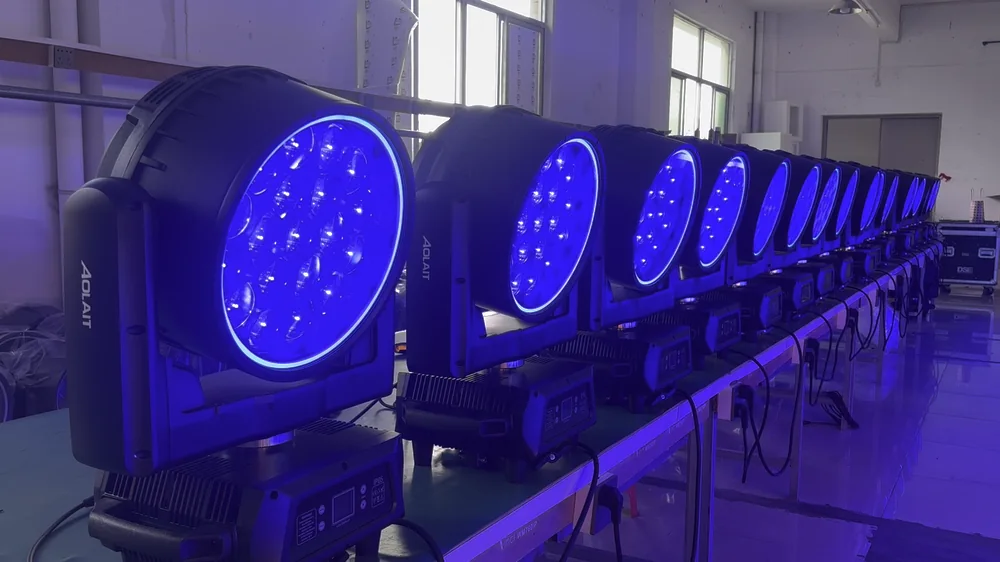
Start with fixture identity and firmware, then capture one continuous run from power-on through reset and the agreed cues. Use slow and fast movement, compare home position after repeated resets, and run dimmer and zoom through several points. For cell, zone or pixel fixtures, use a known address sequence that exposes swapped mapping and dark elements.
A DMX controller or tester display should appear in the inspection record so the observed fixture response can be tied to mode, start address and channel values. For detailed channel allocation before the order reaches the factory, use the DMX channel planning guide.
Time-based operation with records
Use Aging and Burn-In as a Distinct Inspection Stage
Burn-in can expose early or intermittent faults, but it is not the same as final inspection and does not prove service life.
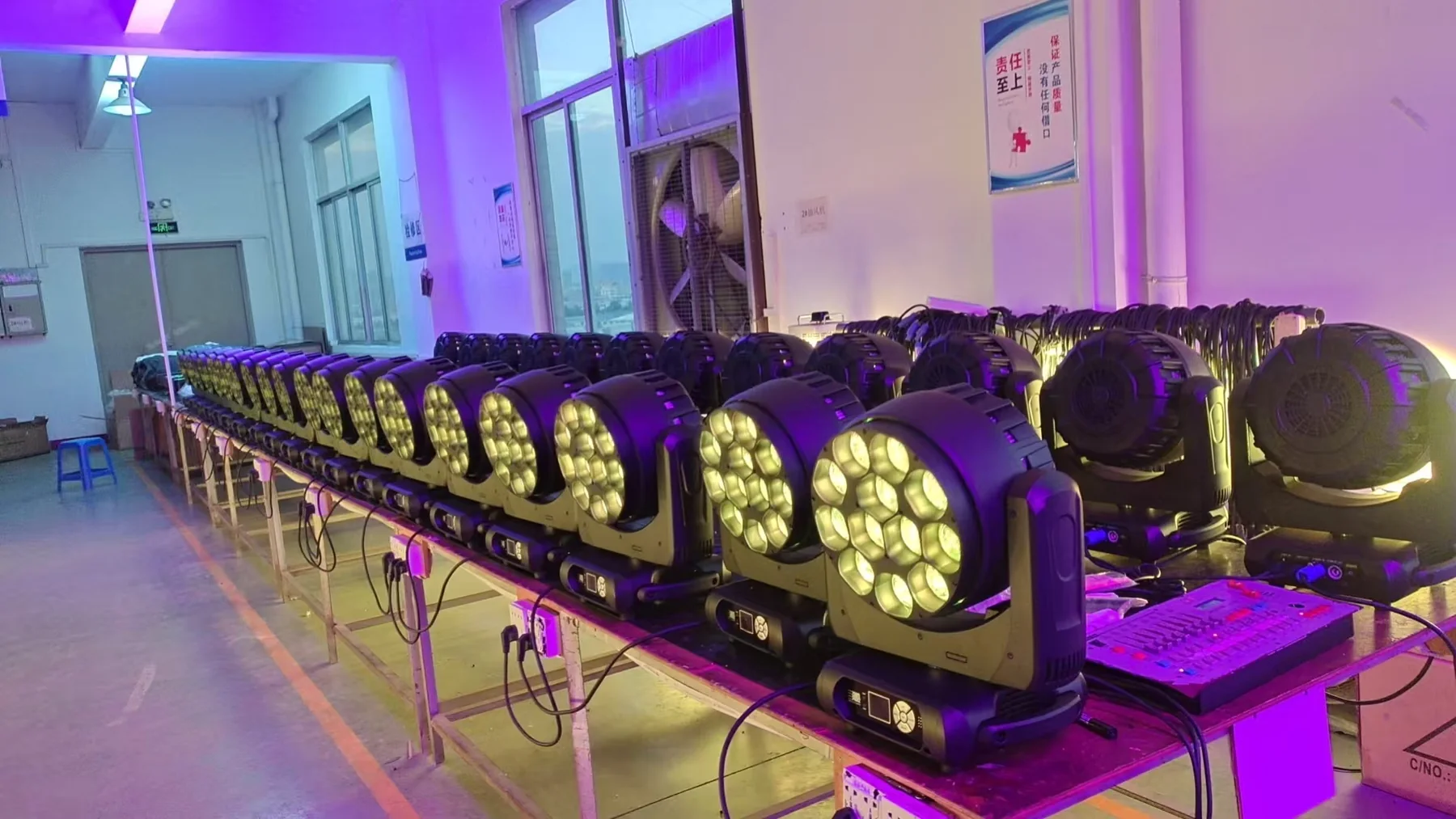
Set run time, included units, input condition, sequence and observation intervals by model, order or inspection plan. Record fans, warnings, output interruption, flicker, reset, movement, control loss and unusual noise. Hold and correct failed units, then repeat linked checks before packing. A factory photograph does not state a failure rate, lifetime result or fixed Aolait aging time.
The separate LED Moving Head Burn-In and Aging Test guide explains how to define the sequence, observations and retest record without confusing burn-in with certification or lifetime testing.
A continuous, order-linked record
Customer Witness and Remote Inspection
An overseas team can witness a stage lighting factory inspection when the camera, controller and product identity stay connected through the factory acceptance test.
- Begin with the order or model identifier, inspection date, lot status and selected sample without showing customer-confidential details.
- Use continuous video for the main sequence. Short edited clips can support close-ups but should not replace the start-to-finish run.
- Show the controller or tester screen with fixture mode, start address and channel or cue values.
- Show the fixture responding through power-on, reset, pan, tilt, dimmer, strobe, zoom, color and applicable cell, zone or pixel functions.
- Capture the fixture serial, batch label or carton mark needed for traceability, while masking unrelated order numbers, names and contact details.
- List every failed or held item, the affected unit, correction, responsible owner and required retest.
- Finish with the retest status, quantity reconciliation, open items and the named shipment-release decision.
The fixture is not the whole shipment
Close Packing, Accessories and Document Release
A technically functional light can still arrive unusable when the bracket, cable, file, label or carton allocation is wrong.
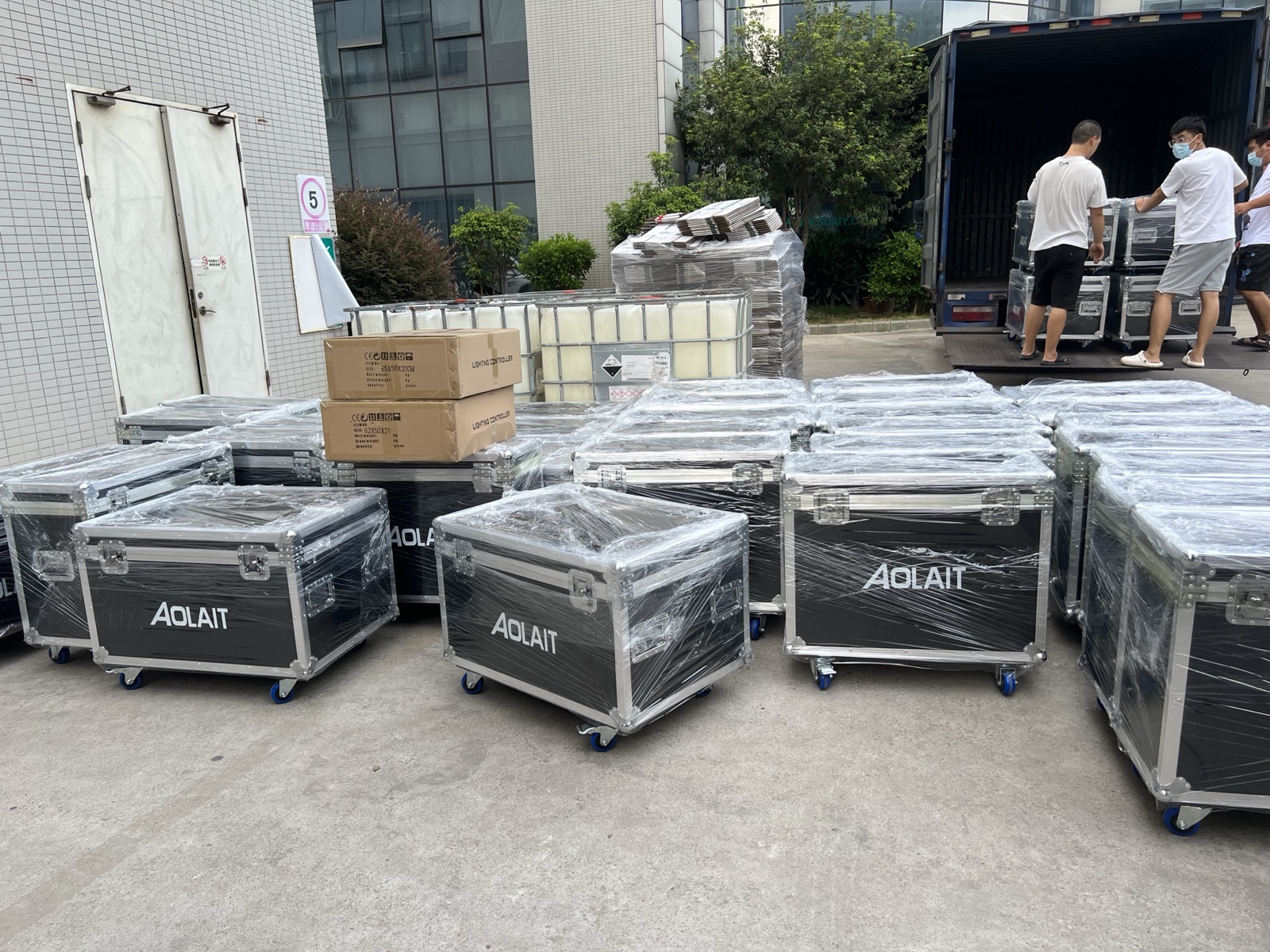
Open the planned carton or case sample and lay out its contents. Count brackets, safety cables, power and signal leads, fasteners, manuals, keys and spares. Check that packing does not load the lens, display, yoke or connectors. For flight cases, operate the wheels, brakes, handles and latches, then check orientation and clearance.
Open each released file. Match the manual, DMX table, firmware record and optional fixture profile to the ordered model and revision. Reconcile fixtures, cartons or cases, accessories and spares with the purchase order and packing list. Match labels and carton marks to approved artwork and destination requirements, and keep customer data out of public inspection media.
Failures hidden by a quick demo
Common Inspection Mistakes
A moving head quality inspection becomes unreliable when the method stops at a quick power-on demonstration.
- Checking only whether the LEDs turn on and skipping movement, dimmer, strobe, zoom, mapping, fans, menu and recovery behavior.
- Failing to record firmware, DMX personality names and start-address behavior against the current channel table.
- Using demonstration-sample settings or parameters as a substitute for the released mass-production configuration.
- Leaving failed items out of the report or replacing a clear defect description with a general pass statement.
- Correcting a fault without repeating the affected function and linked checks on the repaired unit or widened sample.
- Treating design qualification or a laboratory sample result as if it were the routine inspection result for every production fixture.
- Adding optional RDM, Art-Net, sACN or wireless checks to a model that was not ordered with that hardware or function.
Contain, correct, retest and decide
Turn Findings into Corrective Action and Shipment Release
A stage light QC checklist is complete only when every failed or held line reaches a recorded disposition.
Close the inspection loop
- 01Contain
Identify and separate the affected fixture, carton or file so it cannot enter the released shipment.
- 02Assess the scope
Decide whether the finding is isolated or may affect the wider lot, related functions, documents or packing.
- 03Correct
Record repair, replacement, setting change, file revision or packing action, with the responsible owner.
- 04Retest
Repeat the failed item and linked checks. Widen the sample or repeat the lot inspection when the agreed plan requires it.
- 05Release or hold
Record the final status, open commercial conditions, quantity and person authorized to release shipment.
After delivery, carry the unit IDs, firmware record and inspection findings into the Stage Lighting Maintenance Checklist. Companies building local stock and service capability can also study the Aolait Distributor Program. To define a model-specific inspection plan before production, contact Aolait for a quotation.
FREQUENTLY ASKED QUESTIONS