

Decision rule
Choose the primary visual job before comparing feature lists
The first question is not how many LEDs a fixture contains. It is what the fixture must make the audience see.
A rig that needs an even field across performers has a different job from a rig that needs a bright, animated lens face behind them. A third rig may need separate heads, bars or surfaces that keep changing their physical relationship in space. Those jobs point toward Zoom Wash, Bee Eye and Wash FX respectively, although individual products can cross boundaries.
List the required coverage, camera-facing, aerial and movement cues, then rank each as required, useful or unnecessary. This keeps an extended feature list from displacing the result the fixture must deliver every night.
Use the Zoom Wash range, Bee Eye range and Wash FX range as architecture groups, then check the exact model. The complete Aolait product registry remains the documentation for current public models and routes.
Working definitions
What Zoom Wash, Bee Eye, Pixel Wash and Wash FX mean
These labels describe useful starting points, but none is a complete specification.
- Zoom Wash moving head
- A moving fixture designed to place a colored field on people, scenery or architecture, with motorized zoom changing the field width. Evaluate uniformity, edge quality, color mixing, useful output and repeatable zoom positions.
- Bee Eye moving head
- A fixture with a visible multi-lens face that can act as both a light source and a scenic object. Depending on the model, it may offer individual cells, grouped rings, rotating optics or built-in shapes. The Bee Eye and pixel-effects guide explains those terms in depth.
- Pixel Wash
- A wash fixture with separately controllable cells or zones. It does not automatically mean a rotating face, halo or one DMX pixel per lens. The channel chart and numbered map define the usable structure.
- Wash FX moving head
- A structure-led effects family that may use multiple heads, a linear bar, a hybrid or a dual-sided body. Its value comes from coordinated motion, layered visuals or a shape a conventional single-head wash cannot reproduce.
Specification boundary
Why a product-family name cannot prove a function
Two fixtures sold under the same family label can have different optical and control architectures.
A lens count does not prove individual cell control. The word pixel does not prove that a console receives one controllable element per lens. A halo name does not prove a separate light source, and a Wash FX name does not identify how many parts move independently. Even a stated zoom range does not describe field uniformity or usable output at its endpoints.
A console also needs the correct fixture definition and operating mode. The official grandMA3 fixture documentation explains that a fixture type can contain several DMX modes and that only the selected mode is patched. For product evaluation, connect the physical sample, installed firmware, selected mode, numbered cell map and console profile as one approval package.
- Request an optical layout showing main emitters, auxiliary emitters, rings, zones and moving parts.
- Match every advertised effect to a DMX channel, built-in macro or mechanical function.
- Confirm whether control is whole-fixture, grouped, per-cell or available only in an extended personality.
Side-by-side decision
Wash FX moving head vs Bee Eye vs Zoom Wash
This table compares typical design priorities. The exact model can differ, so use it to form questions rather than to replace a datasheet and sample.
| Decision factor | Zoom Wash | Bee Eye | Wash FX |
|---|---|---|---|
| Primary visual job | Even, controllable color coverage | Visible optical face plus wash, pixel or lens effects | Structure-led motion, layered surfaces or coordinated multi-head effects |
| Optical face | Usually read as one blended source | Multi-lens face is intentionally visible | Varies by architecture: several heads, a bar, two faces or mixed effect layers |
| Wash coverage | Primary performance criterion | Possible, but blending and edge quality require testing | Architecture-dependent; may be secondary to effects |
| Aerial effect | Tighter zoom positions can create aerial looks | Distinct cells or rotating optics may add visible beams | Often strong where separate heads or moving structures create changing geometry |
| Pixel/zone control | Optional whole-face zones or pixels | Common in grouped or individual-cell modes | May address heads, segments, faces, rings or auxiliary layers |
| Haze dependence | Low for surface coverage; higher for seeing the beam path | Low for the lens face; higher for aerial separation | Low for visible surfaces; higher for volumetric paths and moving geometry |
| Programming workload | Usually lowest in a compact wash mode | Moderate to high with direct cells and rotating optics | Moderate to very high when multiple movement and light layers are exposed |
| Typical applications | Theatre, broadcast, worship, corporate, venue and general rental coverage | Concerts, clubs, televised backgrounds and effect-focused rental packages | Touring, entertainment, festivals and programmed feature moments |
| Sample documents required | Photometric definitions, zoom data, DMX chart and field test | Cell map, optical functions, modes, profile and camera test | Architecture diagram, movement map, modes, reset behavior and multi-unit effect test |
For concentrated beam versus broad field, use the separate Wash vs Beam moving-head comparison.
Visual outcome
Coverage, audience-facing visuals and haze dependence
Judge surface light, the fixture face and the beam in air as three separate outputs.
For stage coverage, begin with Zoom Wash
Zoom Wash is the strongest default when performers, scenery or a stage area need a predictable field. At the intended throw, compare narrow, middle and wide positions, center-to-edge behavior, overlap and output after thermal stabilization.
For an audience-facing image, Bee Eye has a natural advantage
A Bee Eye face can remain active when its beam path is invisible. Cells, rings and rotating optics can create patterns behind performers or in camera frames. Test at working distances because close footage can hide glare, moiré or weak venue-scale impact.
For changing physical geometry, examine Wash FX
Wash FX becomes useful when the structure creates the look: heads opening into a fan, a bar tilting as one object, separate faces appearing during rotation or an auxiliary layer forming a second surface. Check whether the effect remains useful without constant movement.
Haze makes light paths visible, so aerial cues from all three families depend more heavily on atmosphere than surface coverage or an illuminated optical face. Follow venue policy and a documented risk assessment; the UK Health and Safety Executive publishes guidance for smoke and vapour effects in entertainment. Run one sample cue at the expected haze density and another without haze to learn which part of the design survives.
Control workflow
DMX footprint, macros and programming time
More direct control creates more choices, but it also creates more patching, profile and cue-maintenance work.
The ESTA DMX512-A guide describes a link with up to 512 data slots. A compact wash personality may consume a small part of one universe, while direct RGBW control for many cells plus movement, zoom, strobe and effects can consume dozens or hundreds of slots. Calculate the full fleet before selecting a mode.
| Control method | Where it helps | What to check |
|---|---|---|
| Built-in macros | Fast demonstrations, smaller consoles, repeatable club or event looks | Pattern list, speed, direction, fade, offset, restart behavior and synchronization |
| Grouped zones or rings | Readable chases with a moderate footprint | Physical map, group order, color depth and mode availability |
| Direct cells or heads | Custom media-style patterns, precise phase and fixture-to-fixture relationships | Channel order, universe demand, profile accuracy, firmware and programmer time |
| Compact whole-fixture mode | General rental, coverage cues and fast replacement | Which optical, movement and effect functions are omitted |
Modern consoles can distribute dynamic values across fixtures; the official grandMA3 Phaser documentation shows how speed, phase, step width and transitions shape repeating output. That capability does not remove preparation time. Every additional cell, head or effect layer must still be mapped correctly, tested after reset and maintained in the show file.
Use our DMX channel-planning guide to calculate slot use, universe boundaries and profile records. For rental work, approve one compact mode for rapid deployment and one extended mode only when the creative return justifies it.
Fleet role
Which family is likely to earn the highest rental utilization?
Utilization depends on the local show mix, not on the number of functions printed in a catalogue.
A Zoom Wash often serves many routine jobs because color coverage is widely needed. Bee Eye use rises where audiences see the face and programmers request pixels. Wash FX can become a feature fixture for tours and entertainment venues, but a specialized architecture may sit idle if local shows rarely program it.
- Examine the last twelve months of show files and identify how often coverage, visible pixels and structure-led motion were requested.
- Count events that could operate the proposed extended mode without adding a console, node or programmer.
- Estimate case space, rigging time, power, control distribution, spare parts and training for the complete package.
A balanced fleet may use Zoom Wash as the coverage foundation, then add a smaller number of Bee Eye or Wash FX units for visible identity. The correct ratio comes from recurring jobs and confirmed programming capacity, not from treating every fixture as interchangeable.
Acceptance workflow
How to decide with a sample instead of a promotional video
A sample test should reproduce the intended distance, control mode, atmosphere and camera conditions.
Eight-step sample decision
- 01Freeze the required cue list
Write one coverage cue, one audience-facing cue and one movement or aerial cue. Mark which are essential for the project.
- 02Collect the current model package
Obtain the model-labelled manual, DMX chart, optical or architecture diagram, profile, firmware identification and the electrical and rigging data required for the test.
- 03Patch compact and extended modes
Confirm that both modes load correctly, map physical cells or heads in the expected order and expose the functions used by the cue list.
- 04Test surface coverage
Use a neutral target at the planned throw. Record zoom, color, intensity and camera settings, then compare field shape, blending and edge behavior.
- 05Test the face and aerial path separately
View the fixture from audience and camera positions, then add controlled haze for the aerial cue. Do not treat the haze result as proof of surface-wash quality.
- 06Program macros and direct control
Build the same visual idea once with the internal effect engine and once with zones or pixels. Compare setup time, editability, synchronization and recovery after blackout.
- 07Reset and repeat across units
Power-cycle, home and repeat the cues. With multiple samples, compare position, zoom, color, cell order, macro timing, movement noise and thermal behavior.
- 08Issue a written acceptance record
Save the selected mode, profile, firmware, cue values, test media and any required configuration. Carry the same checks into pre-shipment inspection.
RECOMMENDED PRODUCTS
Models to evaluate against your brief
We organize model-specific product facts and available technical files to support fixture comparison and project planning.
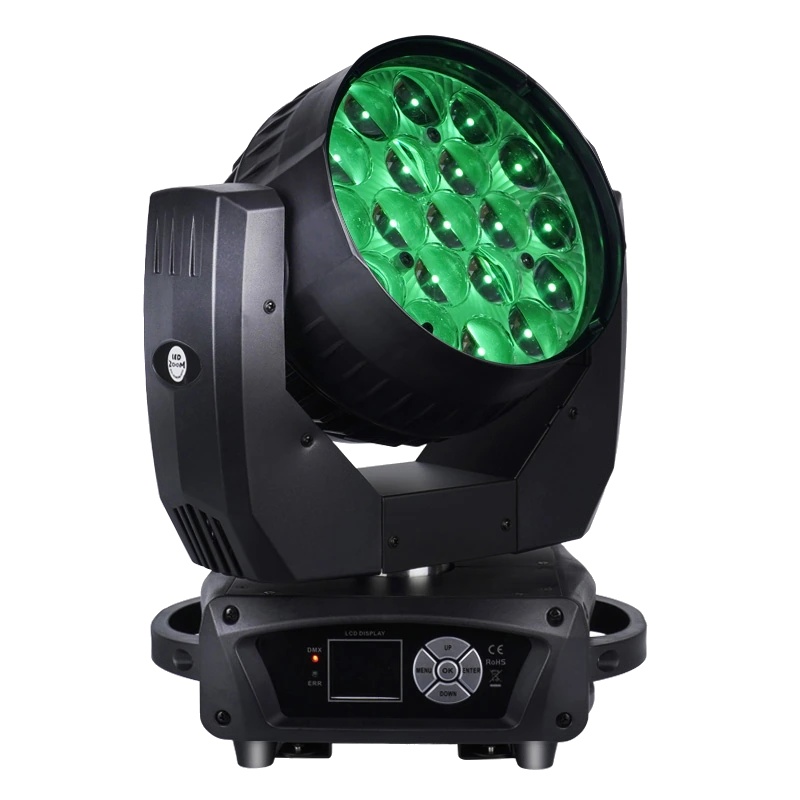
19×15W LED Wash Moving Head
A compact Zoom Wash reference for comparing broad motorized zoom, whole-face control and a grouped three-zone mode.
- 19 × 15W RGBW
- 8°–63° motorized zoom
- 16CH / 24CH
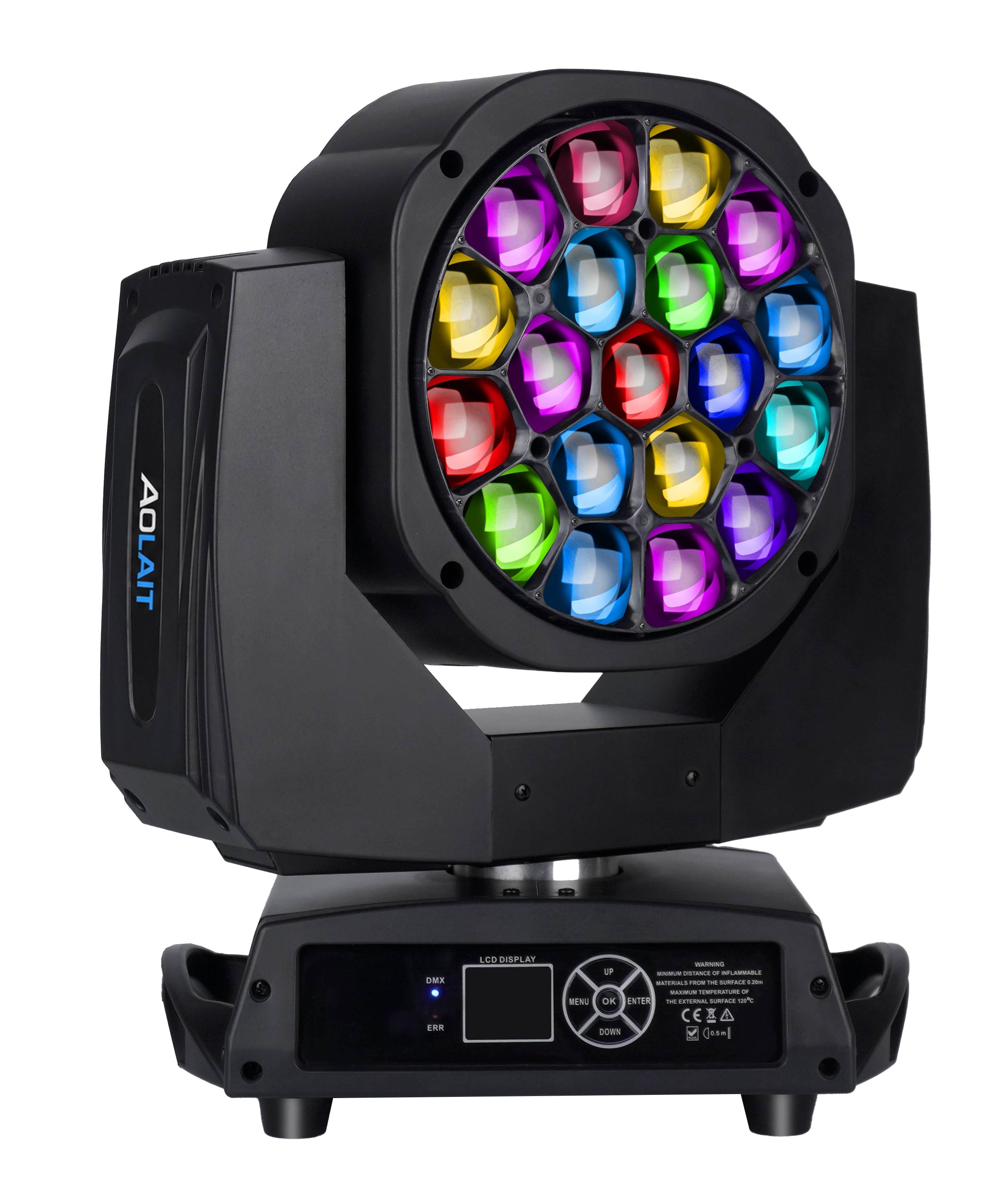
19×15W LED Bee Eye Moving Head
A Bee Eye reference with a visible nineteen-cell face, motorized zoom and personalities ranging from compact control to direct cells.
- 19 × 15W RGBW
- 4°–60° motorized zoom
- Seven DMX personalities
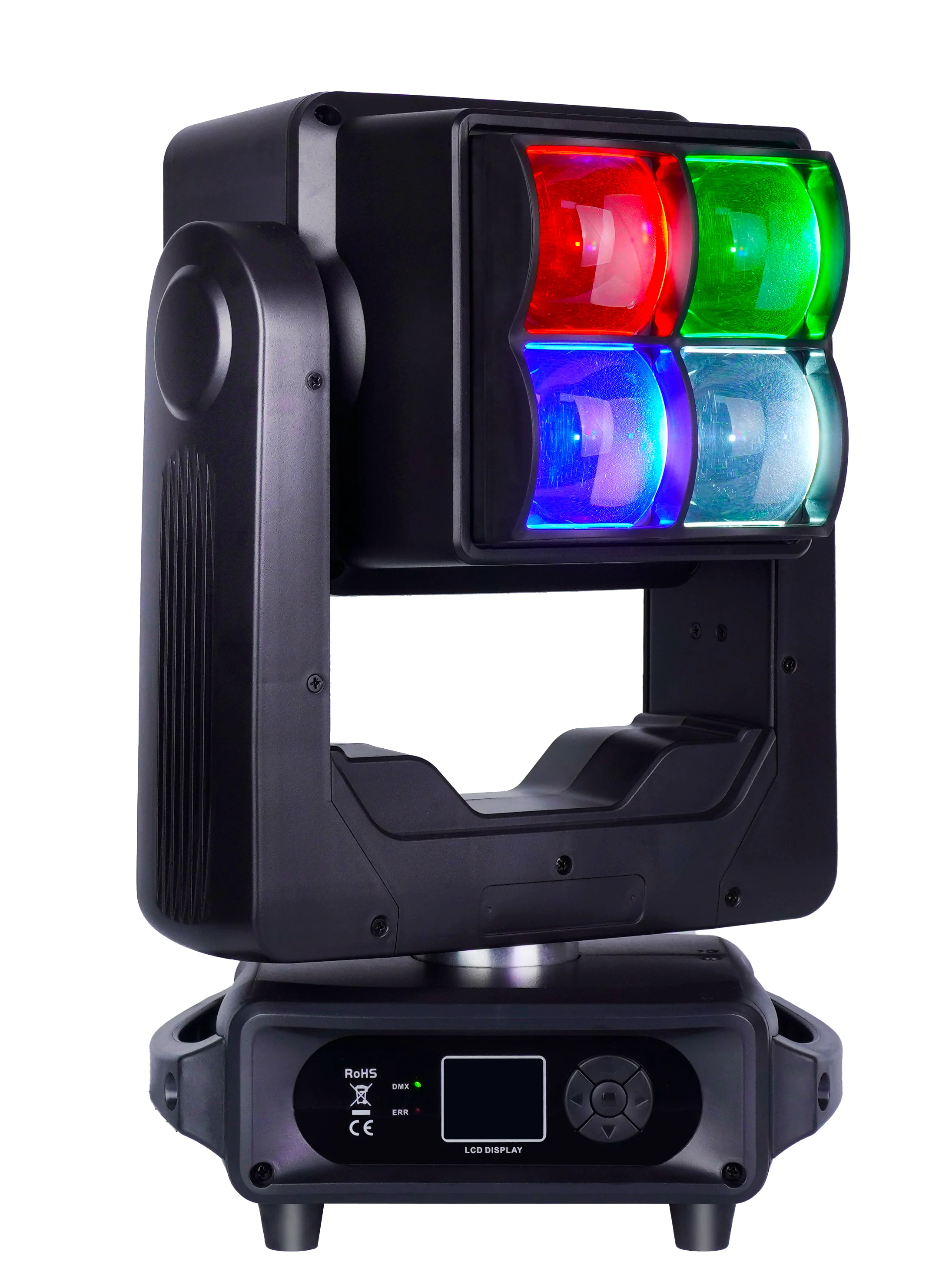
4×60W LED Wash and Strobe Double-Sided Moving Head
A Wash FX reference whose double-sided structure combines an RGBW main face with a separate white and RGB effect face.
- 4 × 60W RGBW main cells
- Double-sided effect structure
- 20CH / 34CH / 93CH
FREQUENTLY ASKED QUESTIONS