
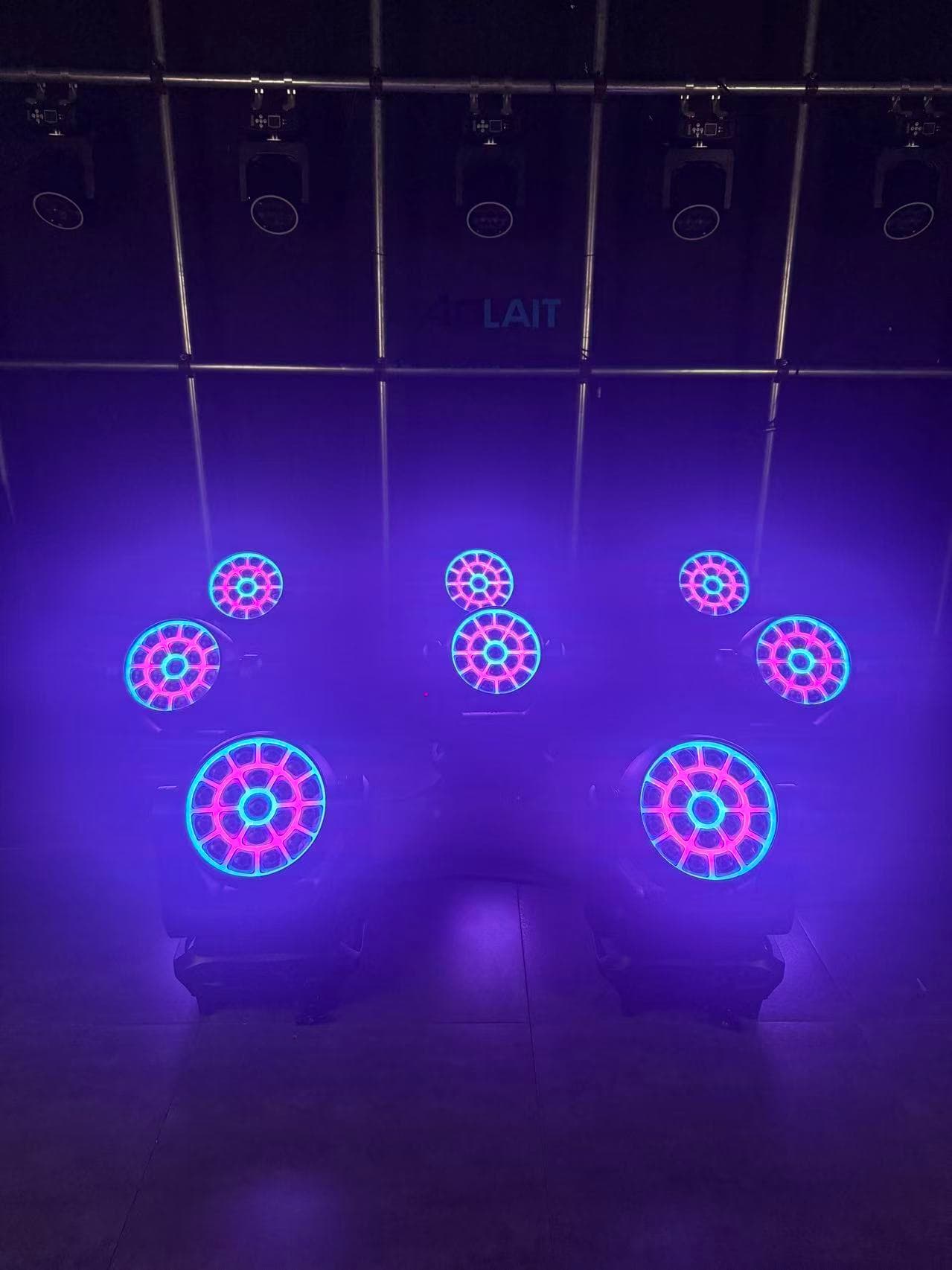
One control, several visible results
What Moving Head Zoom Actually Changes
Zoom is an optical transition, not a simple quality scale from weak to strong.
Motorized zoom changes the output angle. At a fixed throw, a narrower angle produces a smaller footprint and a wider angle a larger one. Programmers see the result in beam diameter, apparent center intensity, edge appearance, haze density and surface coverage.
The narrow end can feel graphic; the wide end can feel scenic. Choose the position that balances subject, surface, camera and atmosphere.
| Zoom position | Visual emphasis | What to observe |
|---|---|---|
| Narrow | Concentration, aerial definition, depth and separation | Hotspot, edge, haze density and alignment |
| Middle | Balanced subject light, shape and aerial presence | Uniformity, repeatability and cue-to-cue consistency |
| Wide | Stage, scenic or architectural surface coverage | Edge blend, color consistency and useful intensity |
Use one optical definition
Beam Angle, Field Angle and Zoom Range
An angle only becomes comparable when the report states what intensity boundary it represents.
CIE TN 010:2019 defines beam angle as the full angle between points where luminous intensity is 50% of the center-beam intensity in a plane through the optical beam axis. The CIE International Lighting Vocabulary provides the corresponding vocabulary for optical beam axis, beam angle and center-beam intensity.
A field angle is a separate boundary used to describe a wider, lower-intensity part of a distribution. Its cutoff must be stated in the photometric document. A beam angle and field angle cannot be placed in one comparison column as if they measure the same boundary.
Measurement plane, color state, stabilization and method affect zoom results. Treat 6°–55° as one documented range, not a mixture of beam and field definitions.
Geometry for a first reference
Calculating Theoretical Beam Diameter
A simple cone calculation translates an angle into a nominal diameter at a perpendicular target plane.
- Theoretical diameter
- D = 2 × L × tan(θ / 2), where D is diameter, L is throw distance and θ is the full included angle.
| Full angle θ | At 5 m throw | At 10 m throw |
|---|---|---|
| 6° | 0.52 m | 1.05 m |
| 15° | 1.32 m | 2.63 m |
| 30° | 2.68 m | 5.36 m |
| 55° | 5.21 m | 10.41 m |
This table is a geometric reference, not an AL1950WX measured spot, usable field or coverage promise. It assumes a symmetrical cone and a target plane perpendicular to the optical axis. Real results change with the fixture's distribution, edge threshold, aiming angle, mounting position, color mix, target surface and the angle definition used.
Use the calculation to place test marks. For fixture quantity, overlap and placement, use the separate Zoom Wash stage coverage guide.
Near the 6° position
The Narrow End: Aerial Looks and Visual Concentration
The narrow end turns the light into a more concentrated visual object.
In haze, a narrow moving head zoom angle can create a denser shaft or stronger depth behind performers. It can separate background layers, keep color away from scenery or create a tighter camera object. The smaller diameter also reveals alignment differences.
A 6 degree beam angle on a wash or effects fixture is not equivalent to a dedicated ultra-narrow beam. Lens architecture, center intensity, edge and focus can differ. If long aerial shafts are essential, compare both fixture types under the same conditions.
- Check the shaft from audience and camera positions, not only from beside the fixture.
- Observe whether the center appears even or shows cell structure and color separation.
- Repeat the position after homing and warm-up; compare a clean surface as well as haze.
Program the space between endpoints
Mid-Zoom Positions: The Most Flexible Working Range
Most show files benefit from several dependable middle positions rather than only minimum and maximum zoom.
A mid-angle can support an aerial layer while placing a usable field on a performer, scenic panel or stage zone. It is easier to blend than the narrow end and more concentrated than the widest wash.
Create named palettes for narrow, medium-tight, medium-wide and wide positions after trim, then build cues from them. This helps updated focus sessions return to consistent looks without copying raw values into every cue.
Watch mid-zoom for sudden edge or hotspot changes, non-linear speed and unequal travel. A smooth DMX fade should create a visually smooth transition, not only a steadily changing channel value.
Near the 55° position
The Wide End: Stage and Scenic Wash
The wide end shifts attention from the shaft of light to the surface receiving it.
A 55 degree wash angle can suit a stage zone, cyc, backdrop, architecture or short-throw position. At close trim it covers more area, while planned overlap can soften separation between scenic fields.
Wide does not mean even. Observe center-to-edge transition, spill, color fringing, scenic shadows and overlaps. A field that looks balanced by eye still needs a camera check at normal exposure and white balance.
Also consider direction and shadows: a wide field from a steep position may reach the stage but remain unhelpful on faces. Zoom solves field size, not placement.
Separate distribution from total output
What Happens to Intensity as Zoom Widens
When similar output is spread over a larger area, the field usually looks less concentrated.
At the same throw and color, widening zoom distributes light across a larger geometric area. The center commonly appears less intense while more surface receives light. The exact change is not determined by angle alone because the optical system may redistribute light differently through the zoom travel.
Do not infer lux, lumens or candela from the diameter table. Request narrow, middle and wide measurements at one distance and color, with the angle definition, meter position and settings.
Treat zoom as motion in light
Using Zoom as Part of a Cue
Zoom can carry musical structure and visual narrative even when pan and tilt remain still.
Four repeatable cue ideas
- 01Narrow aerial opening → wide color reveal
Begin with concentrated shafts, then widen as color or depth appears. Balance zoom time with dimmer and color.
- 02Wide stage wash → tighter musical accent
Hold broad scenic support, then pull tighter on a beat. Ensure the smaller field lands on a useful target.
- 03Static surface wash → camera-facing effect
Keep position fixed, tighten zoom and introduce suitable cell control. Check exposure before aiming toward the lens.
- 04Multiple fixtures with offset zoom transitions
Stagger start times across a row so the field breathes or travels. Use small offsets and repeatable palettes.
These are programming methods, not factory macros. Build them from the selected DMX personality, then confirm the profile and firmware before show-file transfer.
One platform, several assignments
When a Wide-Zoom Fixture Can Reduce Inventory
A wide zoom range can reduce duplicated roles when its complete operating profile fits the production.
One wide zoom moving head may serve as an aerial layer, medium backlight and scenic wash. That flexibility can reduce duplicated roles and simplify spares, cases and console libraries.
This is not an absolute replacement claim. A zoom wash may lack a dedicated beam's shaft definition, a specialized wash's field or a separate effects architecture. Compare weight, power, optics, rigging, control, repeatability and programmer time.
Use the Wash vs Beam comparison when the main choice is between fixture types. If the project needs moving bars, Tornado or Waver architectures, compare the separate Aolait Wash FX Moving Head family. AL1950WX remains part of the Zoom Wash Moving Head family.
Use one written cue sequence
How to Test a Zoom Moving Head Before Purchase
A structured sample test shows whether the advertised range becomes dependable creative control.
Run the same sequence on every sample
- 01Mark optical positions
Record narrow, middle and wide values at two distances on a neutral target.
- 02Observe zoom travel
Run slow and fast moves both ways; watch for stepping, pauses, noise or edge jumps.
- 03Check coarse and fine control
Confirm the console exposes both parameters and that fine control improves positioning.
- 04Compare several fixtures
Recall values after homing and compare diameter, edge and endpoints.
- 05Repeat after warm-up
Reach a stable operating condition, then repeat selected cues.
- 06Change color and distance
Check white and important saturated mixes at representative throws.
- 07Record the control environment
Keep personality, profile, firmware, console version and date with the results.
Cell wattage and emitter count do not replace this optical test. Use the LED wattage and cell configuration guide for that separate comparison, or start with the broader LED wash moving head selection guide.
A documented control range
AL1950WX 6°–55° Application Example
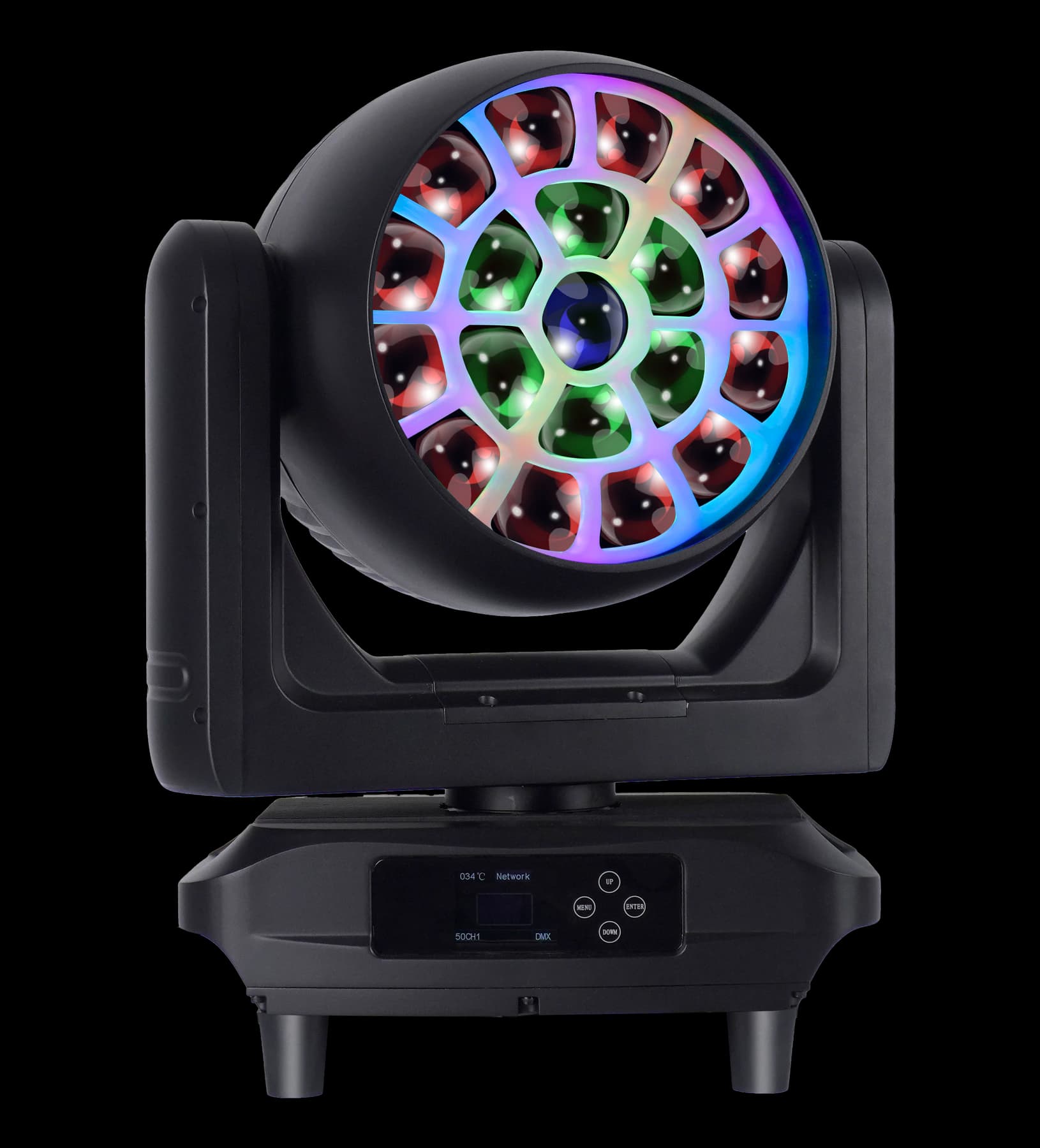
AL1950WX shows how a broad zoom range can sit beside pixel and face-effect control in one programming platform.
| Function | Published parameter | Programming relevance |
|---|---|---|
| Main source | 19 × 50W RGBL | Color and dimmer layer across nineteen cells |
| Backlight layer | 210 RGB backlight LEDs | Separate face-effect possibilities |
| Motorized zoom | 6°–55° | Narrow, middle and wide optical positions |
| Zoom control | Coarse and fine | Repeatable palettes and controlled transitions |
| Cell control | 19-cell individual control | High-detail effects in the extended personality |
| DMX personalities | 26 / 50 / 50 / 127CH | Different balances of programming depth and channel footprint |
Store several zoom palettes, combine them with whole-face and individual-cell looks, and compare from the audience and camera. Explore the AL1950WX product page for published model details, then use a sample test for the creative and optical acceptance criteria.
RECOMMENDED PRODUCTS
Models to evaluate against your brief
We organize model-specific product facts and available technical files to support fixture comparison and project planning.
19×50W RGBL LED Wash Moving Head
A Zoom Wash platform for programming narrow aerial looks, mid-range working positions, wide wash fields and layered face effects.
- 19 × 50W RGBL
- 6°–55° motorized zoom
- Coarse + fine zoom
- 26 / 50 / 50 / 127CH
FREQUENTLY ASKED QUESTIONS