Selection basics
What should a project team define before asking for a price?
A quotation becomes more comparable when the project team supplies an application brief rather than only a wattage or photo.
State the project team type, countries, application, indoor or exposed use, stage size, throw, trim height, required looks, camera use, control system, power, rigging, transport method, quantity and schedule. Identify must-have functions and preferences separately. A distributor, rental company and installation contractor may need different documents and service packages for the same fixture.
Describe whether the primary job is broad wash coverage, narrow aerial definition, pixel effects or a combination. Specify the colors and zoom positions used most often, not only the most dramatic demo. If the product will join an existing fleet, include the profiles, accessories, cases and operational behavior it must match.
Start with the complete AOLAIT product catalogue when several fixture types may be needed, or check the focused LED Wash Moving Head category when the buying intent is broad color coverage and wash effects.
- Application, venue and typical throw distances
- Required wash, beam, zoom, pixel and color functions
- Control protocol, DMX mode and console/profile needs
- Indoor, outdoor, camera and noise conditions
- Quantity, accessories, cases and logistics
- Documents, compliance project information, branding and inspection
- Warranty, spare-parts and support workflow
Technical comparison
How should project teams read wattage, LED count, zoom and color specifications?
Configuration data helps create a shortlist, but it does not replace optical project information or application testing.
LED count and rated LED power describe the engine arrangement; fixture input power describes another part of the system. Neither value alone proves output, efficiency, color quality or thermal behavior. Compare measured illuminance or intensity at stated distance, beam angle, field distribution, color and test condition. Ask whether photometric data belongs to the exact model and production configuration.
Zoom range indicates available angles, but the project team should inspect the result at both ends and useful positions between them. A wide field can support coverage; a narrow position can increase apparent reach. Check uniformity, edge behavior, mixed-color artifacts and focus consistency across multiple units. For effect fixtures, confirm whether focus, zoom, lens rotation or macros are separate functions.
RGBW, RGBL and other color systems label available emitter channels, not the final result. Evaluate saturated colors, whites, pastels, skin tones, low-level fades and camera behavior in the intended show. check that the datasheet, manual, channel chart and marketing language use the same channel names.
The LED wattage and configuration guide explains how to compare engines, while the RGBL versus RGBW guide covers color-system trade-offs without declaring one universally superior.
| Claim | What it tells you | project check |
|---|---|---|
| 19 × 50W | Emitter count and nominal package class | Measured output, input power, optics and thermal behavior |
| 6°–55° zoom | Documented angle range | Field quality and repeatability at useful positions |
| RGBL or RGBW | Named color channels | Actual mixing, white/pastel targets and consistent terminology |
| 127 channels | Potential extended control depth | Accurate chart, universe capacity and profile |
Product families
When should a project team choose a wash fixture or a Bee Eye FX fixture?
The correct family depends on the deliverable look and programming resources, not the number of visible lenses.
A conventional wash moving head is usually selected for coverage, color, zoom and movement. A Bee Eye or pixel-effect fixture can add individual cells, foreground patterns, lens effects or macro-heavy looks while still providing wash output. Those capabilities can increase channel count, profile complexity and programming time. Decide whether the additional looks will earn regular use.
Explore the Bee Eye Moving Head category and read the Bee Eye and pixel-effects guide when effect-layer architecture is central to the brief.
Control
What should project teams check about DMX, RDM, Art-Net, sACN and profiles?
Protocol names are useful only when the ordered fixture, firmware and control files work together.
Request a model-labelled channel chart for every offered personality. Check the footprint, channel order, ranges, defaults, reset behavior and cell mapping. Decide which mode supports normal shows and which extended mode is reserved for pixel programming. Calculate total addresses and universes for the real fixture count with working headroom.
RDM may support discovery, addressing or status functions depending on implementation. Art-Net and sACN may transport networked lighting data, but the project team still needs to check settings, universe mapping, merge or priority behavior where relevant, network topology and fallback. Do not infer complete standards behavior from a single protocol logo.
The DMX channel-planning guide provides a step-by-step worksheet for personalities, universes, addressing, profiles, backups and acceptance testing.
| Item | Minimum record | Acceptance test |
|---|---|---|
| DMX personality | Model, firmware, channel count and chart revision | Patch and exercise every required function |
| Fixture profile | Filename, console and software version | Import, patch, label and reproduce a cue |
| Network control | Protocol settings and universe map | Test nodes, traffic, fallback and recovery |
| RDM | Supported functions and version | Discover, identify and change only approved parameters |
Deployment
How should project teams assess outdoor use, rigging, power and packing?
For exposed use, request project information matching the exact model and construction. check the intended ingress designation, connector covers, seals, drainage, approved positions, cleaning and storage instructions. Protection is a system: suitable power and data connectors, cables, distribution, installation and maintenance remain necessary. Do not publish an outdoor claim when the catalogue and manual disagree.
Inspect clamp points, safety attachment, handles, feet, display and connector access. check dimensions and weight against an approved drawing and the sample. Check the proposed clamps, safeties, case layout and packed weight. The supplier's fixture specification does not approve the project rigging system; use competent personnel and applicable venue and local requirements.
Confirm voltage, frequency, input power, current and power-through limits for the production revision. Plan circuits from the actual electrical system and connector ratings, not a simple division of nominal watts. Define supplied and optional cables, plugs, clamps, safeties, cases, foam and labels in the purchase order and inspection checklist.
The IP65 outdoor stage-lighting guide explains rating scope and maintenance boundaries. Include any destination-specific project information and accessory requirements in the quotation.
coordination
What should happen between sample approval and shipment?
The project team needs project information that the production lot matches the approved product, files, branding and packing.
Create a golden-sample record containing model, serial, hardware, firmware, personality, profile, optical results, appearance, labels, accessories, manual, channel chart, drawing and packing. Photograph all sides and list open deviations. Approval should identify who accepted the sample and which changes still require check.
Require written change control for LEDs, optics, electronics, power supplies, motors, fans, connectors, firmware, housing, seals, labels, documents, packing or accessories when they can affect approved function, appearance, safety, compatibility or compliance. A supplier substitution should be assessed according to its risk and reflected in files and validation.
Before shipment, check quantity, identity, workmanship, rigging and connectors, power-on behavior, movement, color/field consistency, dimming, zoom/focus, effects, control, firmware, labels, accessories, packing and released documents. Define sampling and acceptance before the inspector arrives. Record failures, corrective action and retest.
Project team approval gates
- 01Application sample
Test the product in the specified optical, control and handling workflow.
- 02Golden sample
Freeze exact product, file, artwork, accessory and packing revisions.
- 03Production project information
check factory records, change notifications and nonconformities.
- 04Shipment release
Inspect the lot and approve, conditionally release or hold it.
Commercial terms
How are MOQ, sample cost, lead time, OEM scope and payment confirmed?
Commercial values depend on the exact model, materials, customization, quantity and current production plan, so generic website numbers are rarely sufficient.
Ask for a written quotation that identifies model, configuration, quantity, unit price, sample terms, tooling or customization charges, accessories, packing, Incoterm, payment, validity and estimated schedule. Lead time should show the assumptions: document availability, sample approval, material readiness, branding and inspection. Reconfirm it after changes.
For OEM, list logo, model name, rating label, manual, DMX chart, language, carton, case, accessories, firmware or hardware options separately. Deeper ODM changes need engineering check, ownership and validation gates. A logo change does not automatically transfer compliance responsibility or make existing documents applicable to a new model identity.
check AOLAIT OEM and ODM stage-lighting support and the OEM procurement guide before preparing private-label requirements. The RFQ should state which project information is mandatory for the destination market.
| Item | Define | Reconfirm when |
|---|---|---|
| MOQ and price | Model, quantity, options, packing and Incoterm | Quantity or scope changes |
| Sample | Configuration, cost, freight, approval and ownership | Engineering revision changes |
| Lead time | Start gate, approvals, materials, production and inspection | Documents or customization are delayed |
| OEM files | Artwork, languages, model identity and release revisions | Any label, manual or firmware changes |
| Payment | Deposit, balance, release project information and banking details | Purchase order or shipment terms change |
After sales
What should warranty, spare-parts and technical support include?
A support promise is useful only when the project team knows how to identify, document and resolve a fault.
Confirm warranty duration and scope in the quotation, including exclusions, project requirements, claim owner, troubleshooting, repair authorization, parts, freight and credit or replacement decisions. Keep serial, order, hardware and firmware records. Videos and logs can accelerate triage, but they should not replace safe procedures or model identification.
Follow the stage-lighting maintenance checklist to create daily, turnaround and periodic records. For rental-specific operational planning, use the rental fleet selection checklist.
Conclusion
The best project question is one that defines the project information required for approval
Lighting professionals do not need the longest specification list. They need an exact model that creates the required look, works in the intended control and operating system, arrives with consistent files and packing, and can be supported by the supplier and project team after shipment.
RECOMMENDED PRODUCTS
Models to evaluate against your brief
We organize model-specific product facts and available technical files to support fixture comparison and project planning.
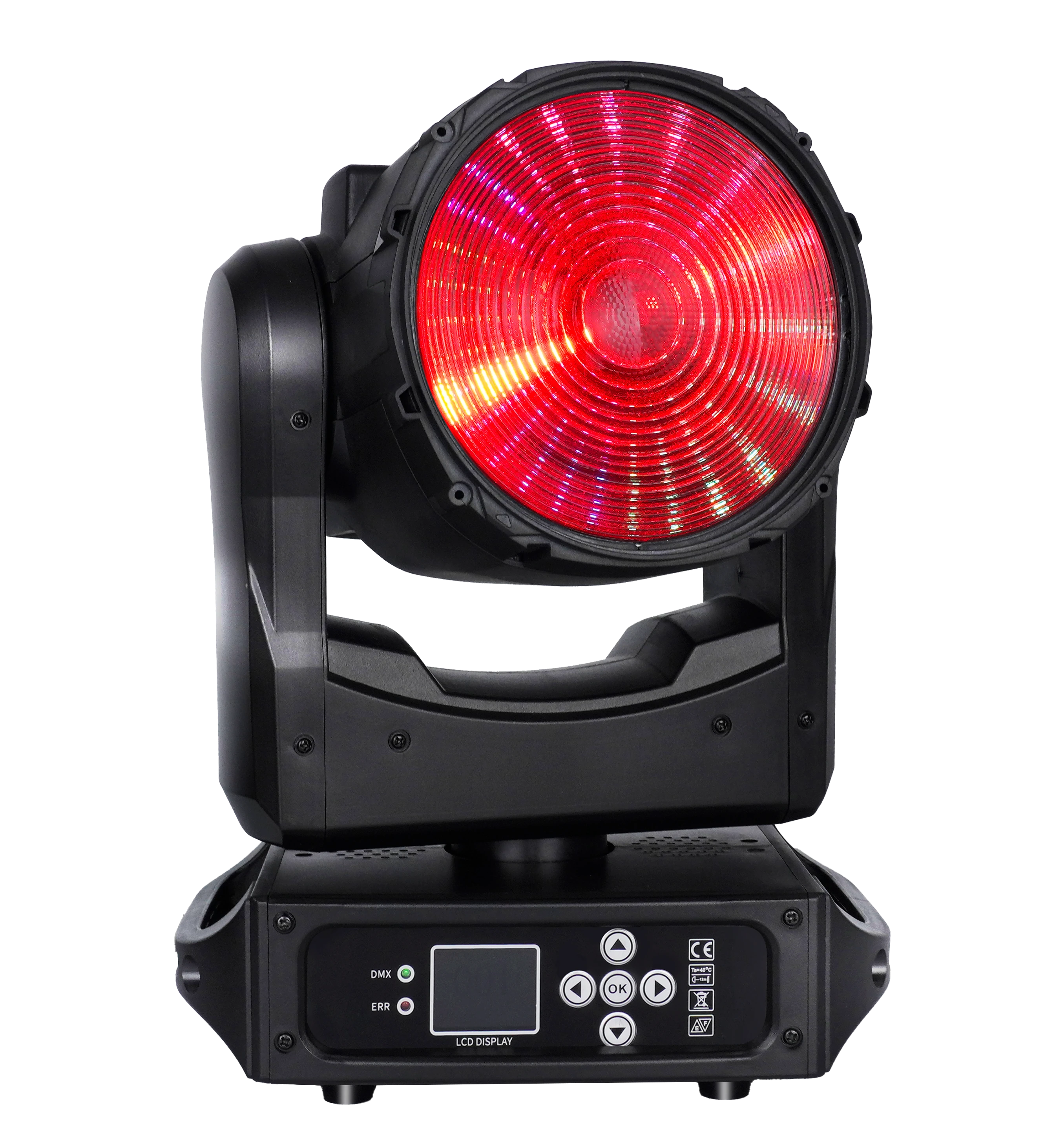
150W LED Wash ONE-effect Moving Head
A compact RGBL Zoom Wash platform with an auxiliary pixel array for color, DMX and product-development discussions.
- 150W RGBL
- 19°–27° zoom
- Five DMX personalities
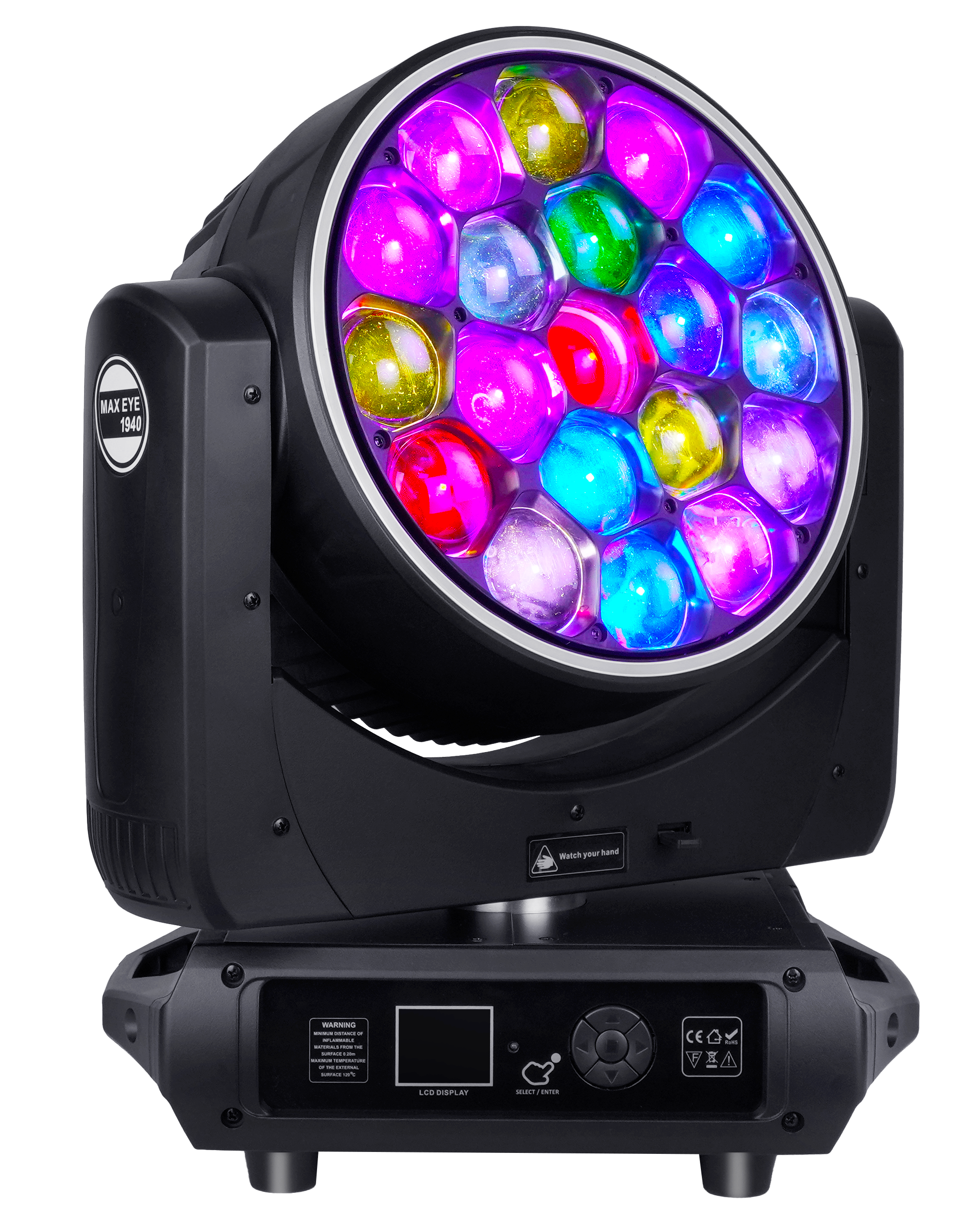
19×40W LED Bee Eye Moving Head Halo
A nineteen-cell Bee Eye platform with zoom, rotating optics, pixel modes and halo control.
- 19 × 40W RGBW
- 7°–45° zoom
- Pixel and halo control
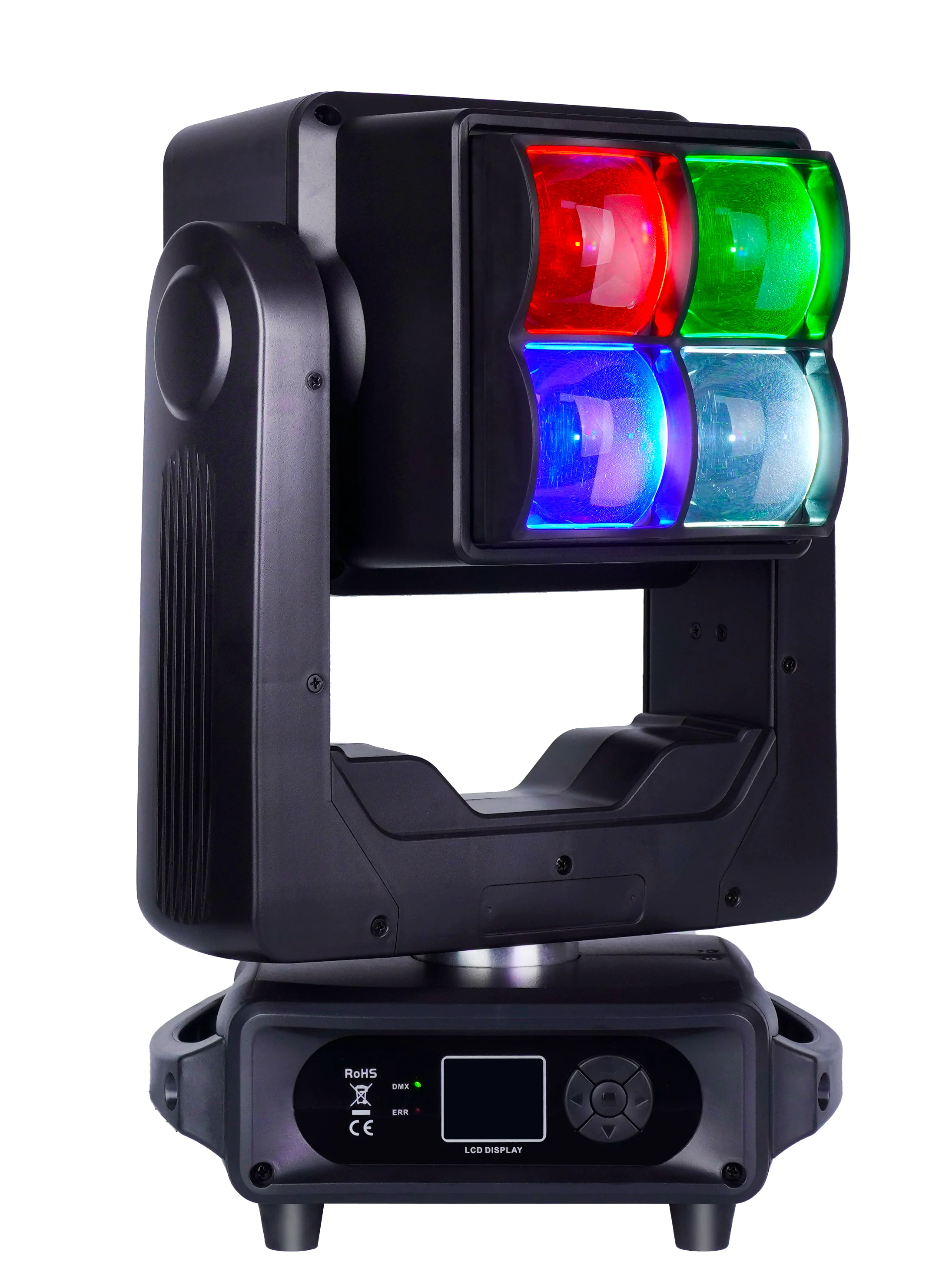
4×60W LED Wash and Strobe Double-Sided Moving Head
A dual-sided Wash and Strobe fixture for effect architecture, control and service-workflow planning.
- 4 × 60W RGBW
- Dual-sided structure
- IP20
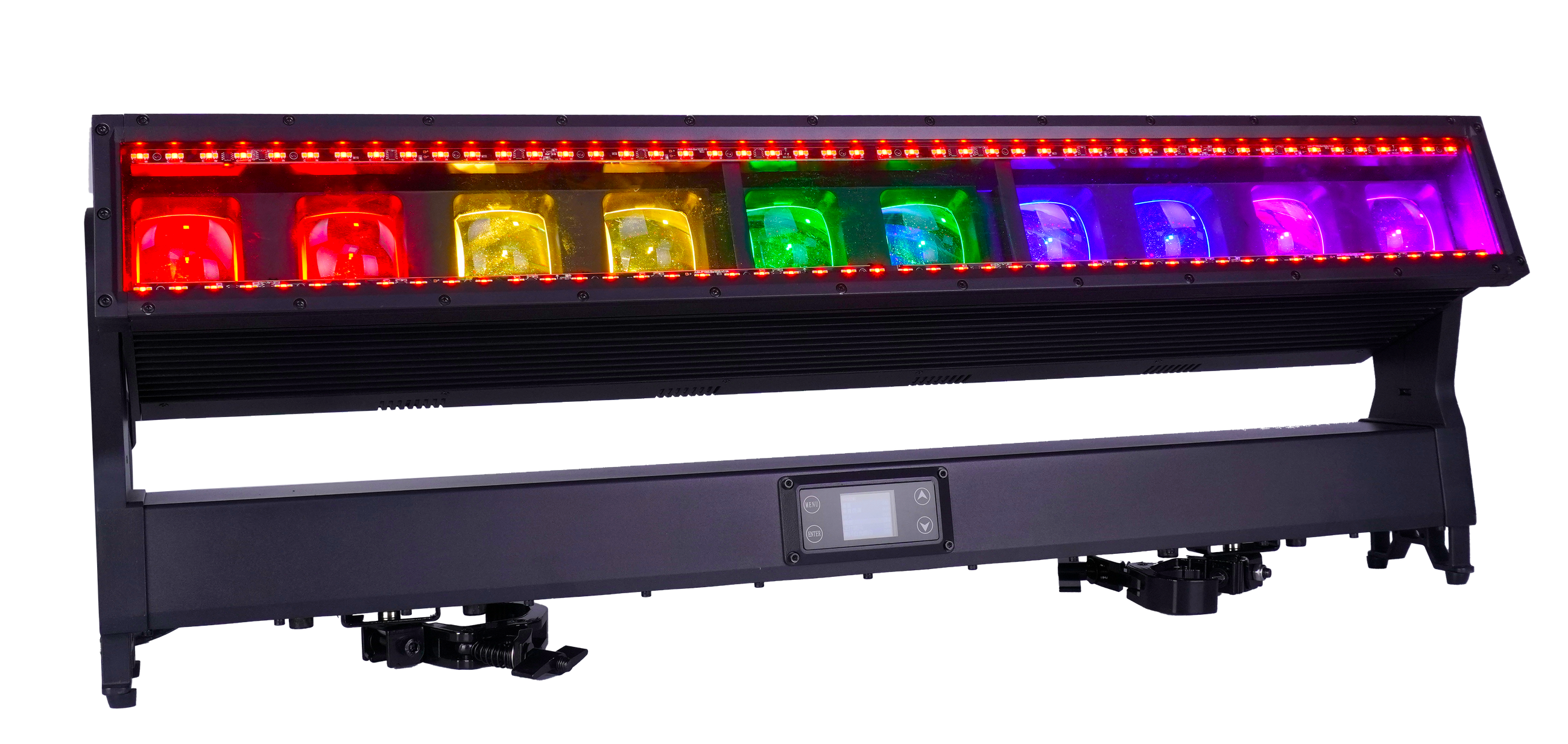
10×60W LED Moving Bar IP65
An IP65 linear Moving Bar platform with RGBW cells, separate auxiliary lines and extended control modes.
- 10 × 60W RGBW
- 5°–35° zoom
- IP65
FREQUENTLY ASKED QUESTIONS